
July 10, 2026 · 9 min read
PollsLive में poll results पढ़ें और export करें
अपने poll के results कहाँ मिलते हैं, हर सवाल का breakdown कैसे पढ़ें और सब कुछ Excel या PDF report में कैसे export करें। Screenshots के साथ, step by step।
Answers collect करना आसान हिस्सा है। यहाँ आप उन्हें सचमुच समझते हैं: results कहाँ रहते हैं, कैसे पढ़ें, और report या spreadsheet के लिए raw data कैसे निकालें।
Results कहाँ रहते हैं
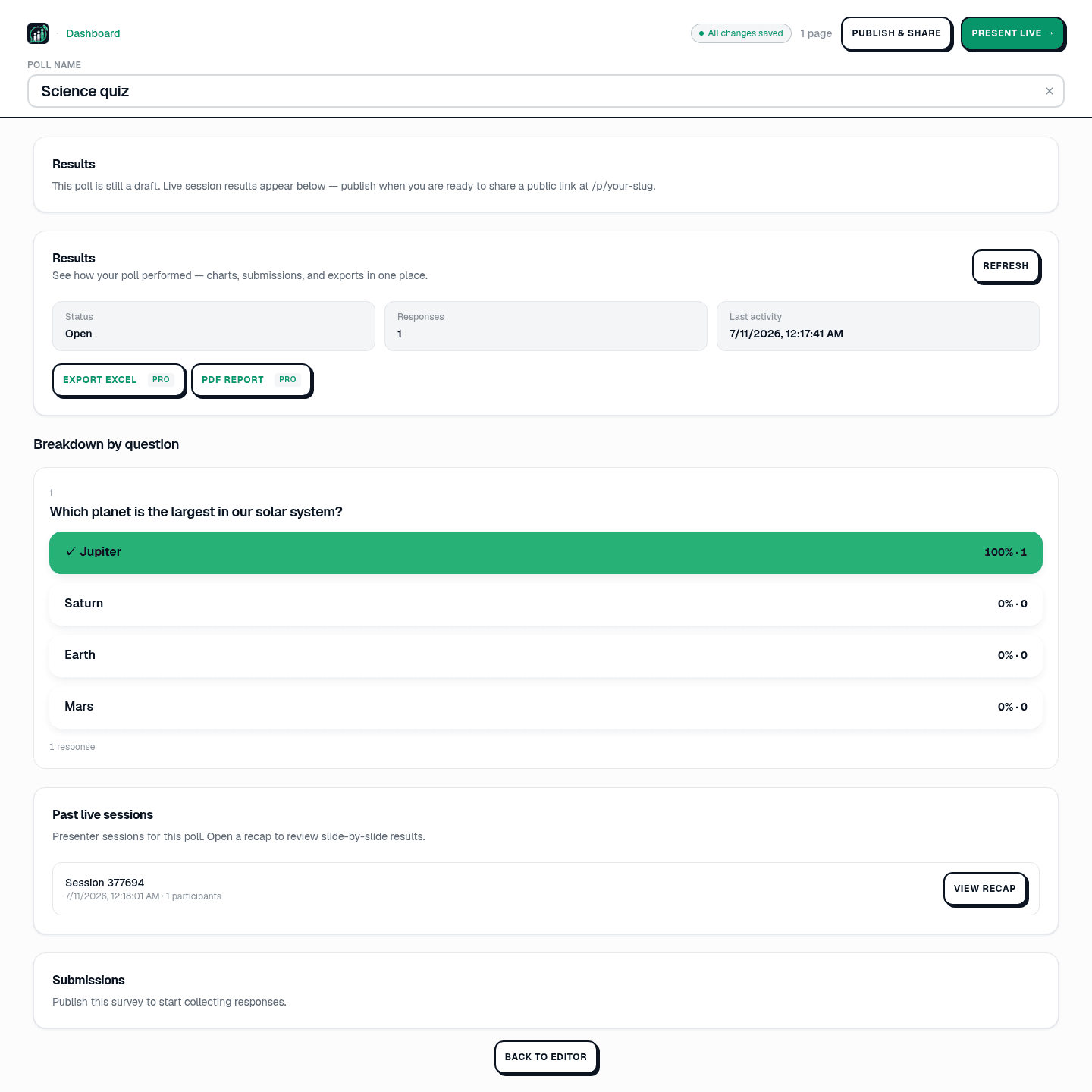
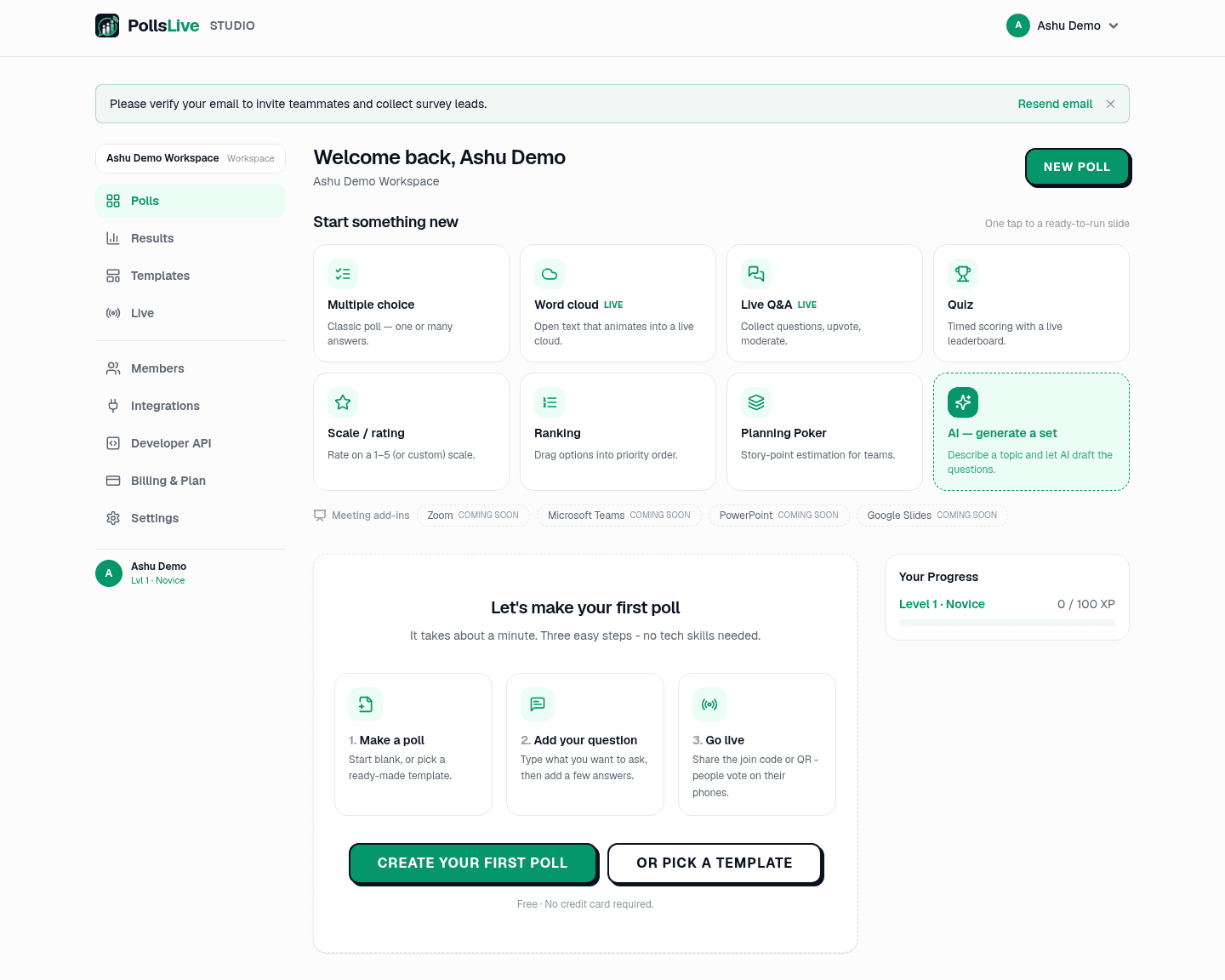
हर poll का अपना results view Studio में है। Dashboard से poll खोलें और Results click करें (या editor के Results section तक scroll करें)। left-hand Studio nav के Results item से हर poll की participation भी देख सकते हैं।
Top-line numbers पढ़ें
तीन tiles एक glance में picture देते हैं: Status (Open, Closed, या Scheduled), Responses (कितने answers collect हुए), और Last activity (सबसे recent answer कब आया)। latest pull करने Refresh दबाएँ: यह panel auto-poll नहीं करता, session के बाद refresh करें final tally देखने के लिए।
Question-wise breakdown पढ़ें
Breakdown by question के नीचे, हर slide का अपना chart: multiple choice और quiz के लिए bar charts percentages और counts के साथ (correct answer tick से marked), scale questions के distributions, open text के लिए list या cloud। वही picture जो audience ने live देखी, अब still ताकि study कर सकें।
पहले कौन-सा area improve करें?
Past live session review करें
अगर poll live present किया, हर session Past live sessions के नीचे PIN और participant count के साथ listed है। View recap click करके slide-by-slide results और end-of-session summary फिर खोलें, including सबसे active कौन था और सबसे fast answer किसने दिया।
Data share या export करें
Poll publish होने पर Open public results link (pollslive.com/p/your-poll पर read-only version) और share के लिए Copy results link button मिलता है। Raw data के लिए Export Excel spreadsheet download करें (respondent प्रति एक row, हर answer) या formatted summary के लिए PDF report। दोनों exports Pro plan पर; free plan पर buttons upgrade prompt करते हैं।
Tip
Live session के बाद Refresh दबाएँ: results panel auto-poll नहीं करता, final tally latest pull तक न दिखे।
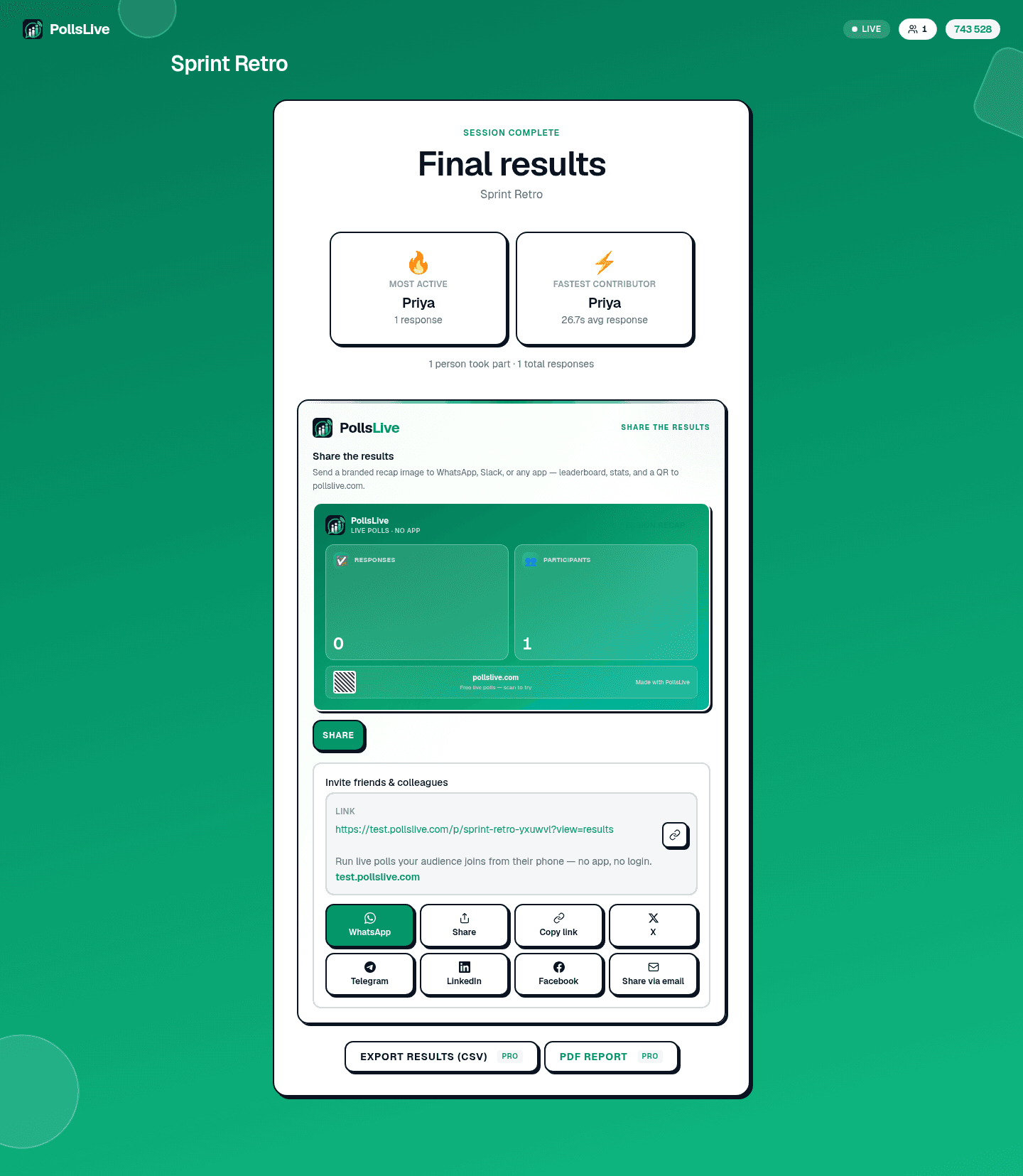
Rule of thumb: Studio में पढ़ें, team के साथ public link share करें, Excel export तभी करें जब raw numbers खुद slice करने हों।
Results view यही सब कर सकता है। अगर poll अभी नहीं चलाया, building one from scratch या running a live session से शुरू करें।
अभी एक live poll शुरू करें: आपके लिए मुफ़्त sign-in, आपकी audience के लिए कोई app या account नहीं.
एक मुफ़्त poll बनाएँ