
June 5, 2026 · 9 min read
2 मिनट में live poll, बिना app
अपना पहला live poll: deck बनाइए, Present live दबाइए, और लोग छह अंकों के code या QR code से join करते हैं। Vote के लिए न app, न login।
Awkward न लगे live poll trick simple: setup आपके पास, audience answers। App install, account, 6-digit code except कुछ याद नहीं। Screenshots हर step, start to finish।
क्या चाहिए
Present screen (laptop + projector, call shared screen, monitor सब देखें) और room phones। Poll बनाने या चलाने के लिए मुफ़्त sign in करें; audience को जवाब देने के लिए कभी account नहीं चाहिए। या बिना sign in के short-lived /demo sandbox आज़माएँ।
Step 1: Deck build (about a minute)
Fastest ready template। Templates gallery, fit pick (Sprint Retro, Icebreaker, Quiz night, Town hall, dozen more), Use this template। Blank? Create your poll home page questions add।
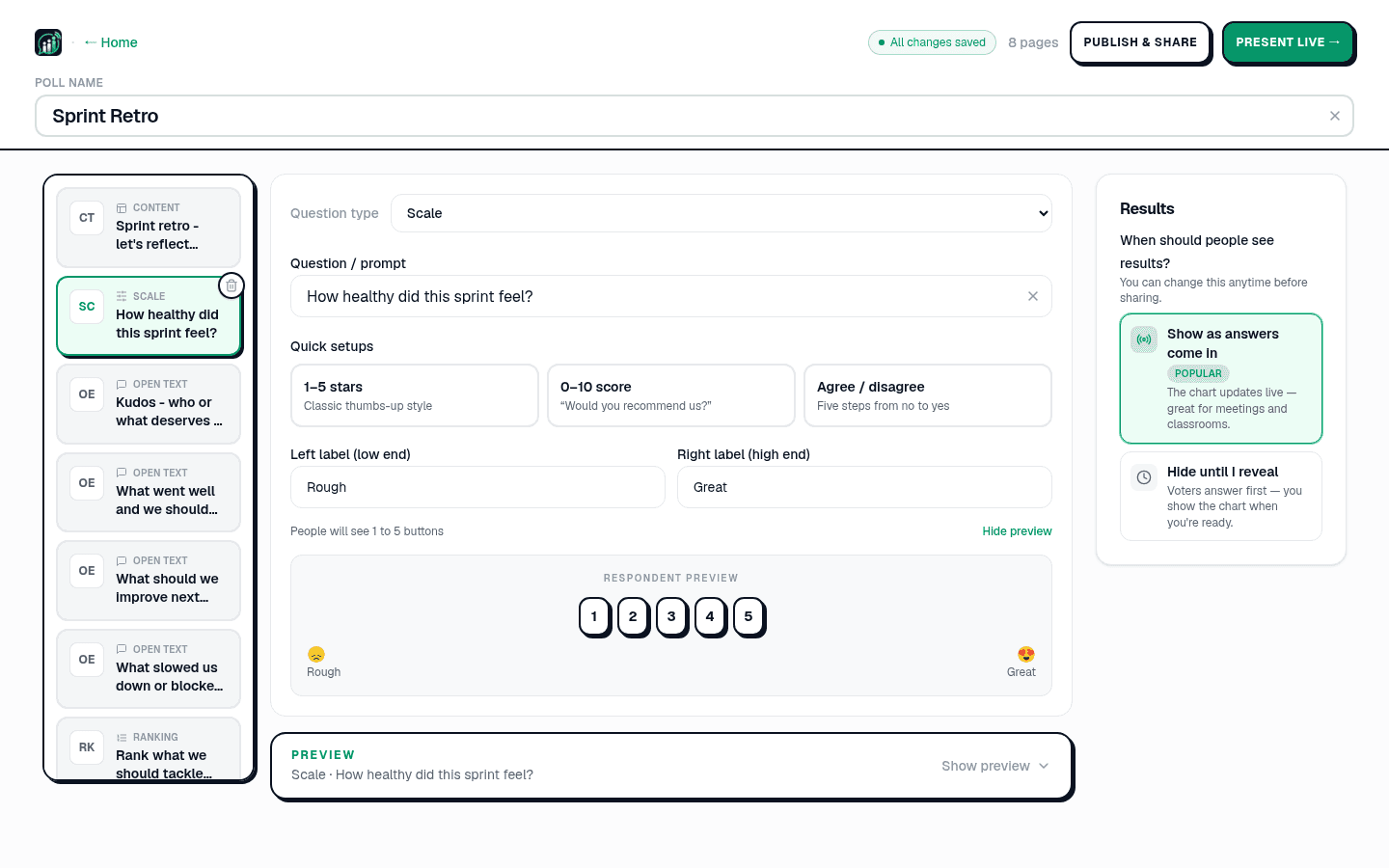
Slide page left list। Type (Multiple choice, Quiz, Scale, Open text (word cloud), Ranking, Q&A, Planning Poker), prompt type। दाईं ओर आप यह पोल कैसे चलाएँगे? के नीचे लाइव, मैं प्रस्तुत करूँगा चुनें। अगर बार सबके सामने चलती दिखानी हैं तो नीचे वोट आते ही दिखें चुनें; डिफ़ॉल्ट जब तक मैं न दिखाऊँ, छिपे रहें रहने दें तो नतीजे तब तक छिपे रहेंगे जब तक आप उन्हें न दिखाएँ। Save नहीं; All changes saved typing stop moment after।
Step 2: Present live (10 second)
Deck right, top bar Present live। Host console big join PIN QR code screen। Audience यही देखे।

Present live temporary real-time session fresh PIN each। Link own schedule लिंक शेयर करें permanent pollslive.com/p/your-poll link QR। Room front, Present live।
Step 3: Audience joins (no app, no login)
Room pollslive.com/play (QR scan step skip)। 6-digit PIN, name pick, in। Account, download, verify नहीं।
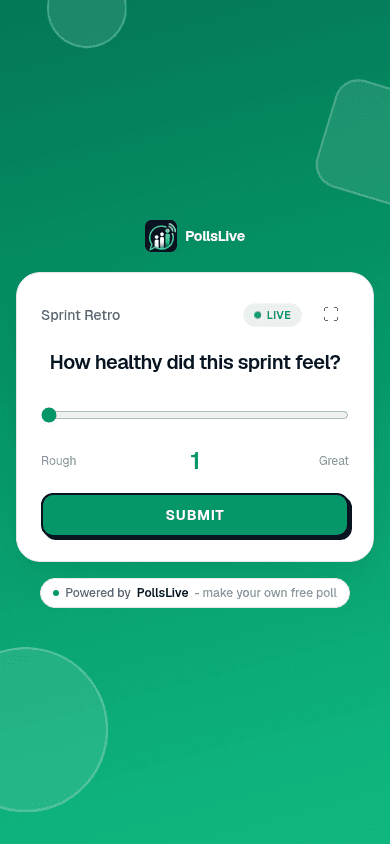
Step 4: Session run
Host console Start presentation। Next Prev deck। जैसे-जैसे लोग टैप करते हैं उत्तर आते हैं, और स्लाइड चार्ट की जगह गिनती दिखाती है। कुछ नियंत्रण जो आप वाकई इस्तेमाल करेंगे: दिखाएँ चार्ट को स्क्रीन पर लाता है और छिपाएँ उसे हटा देता है, लॉक करें मौजूदा स्लाइड पर नए वोट रोक देता है, और स्लाइड पूरे डेक का थंबनेल दृश्य खोलता है। क्विज़ स्लाइड पर लीडरबोर्ड नतीजों के नीचे अपने आप आ जाता है।
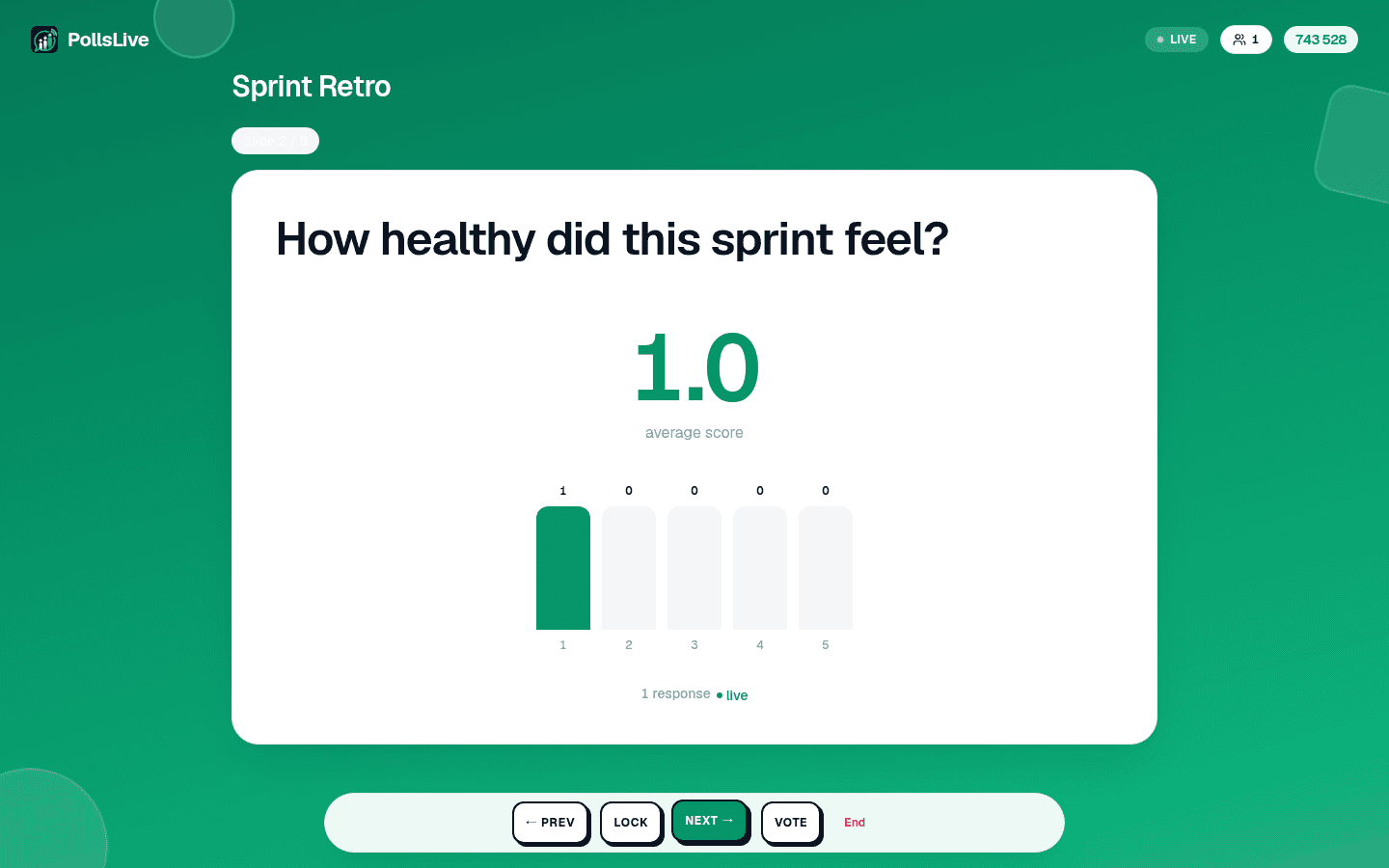
Couple dozen answered fuller room। Monday kickoff mood check, bars move question read finish before:
Week में feeling? (1 = rough, 5 = great)
Slide two jobs: phones connected important before, room mostly fine couple rough, quiet word later। Open question word cloud type:
Week easier बनाने one word?
Step 5: End share results
Done End। Recap: Most active Fastest contributor, participants responses, share panel। Results link copy, recap image WhatsApp Slack, Pro Export results (CSV) PDF report breakdown।
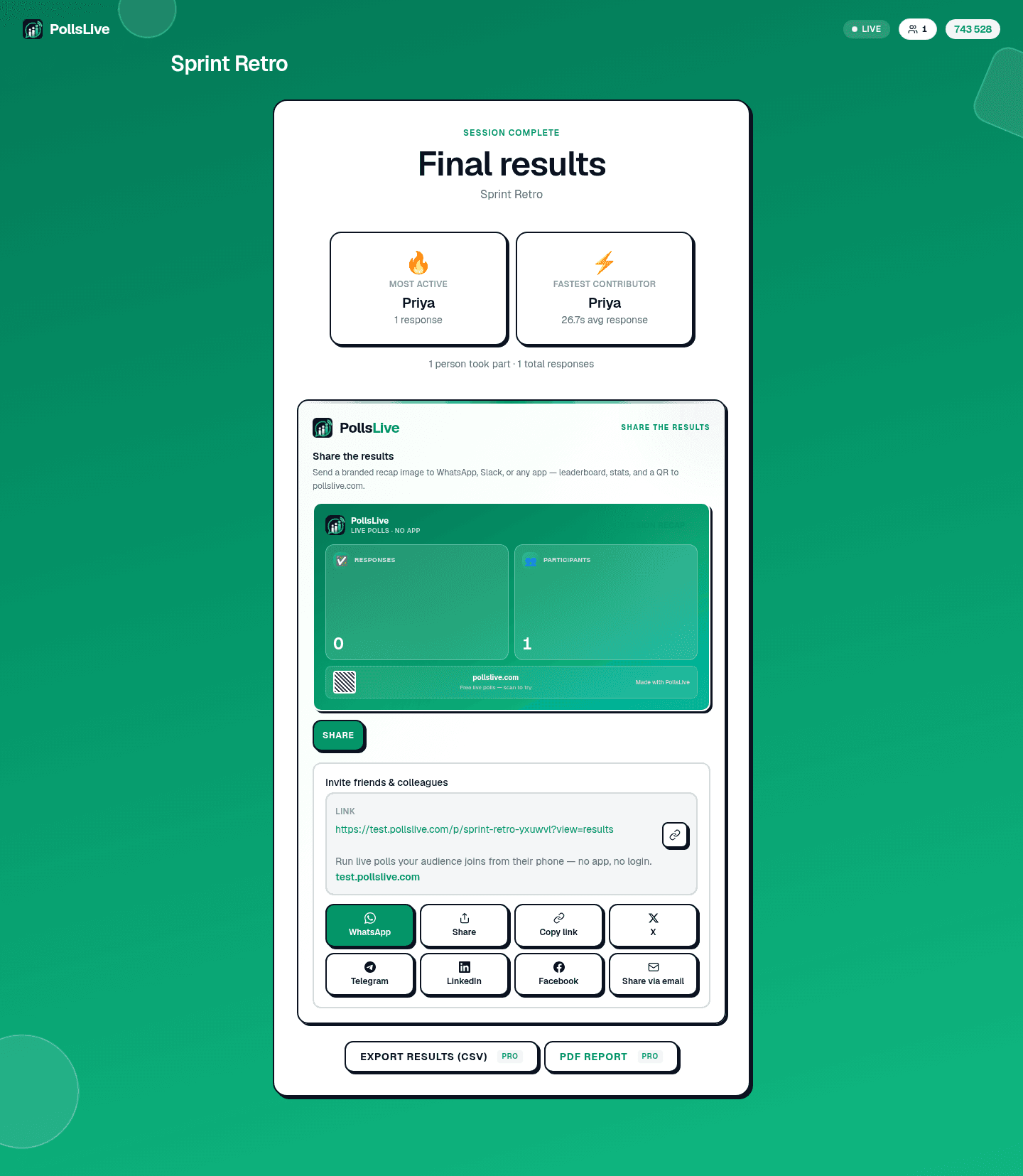
Point friction आप two minutes setup, never audience।
Entire loop classroom, conference, standup। PollsLive for education for events, full template gallery ready-made।
Tip
Meeting start browser tab PollsLive: pressure create typos।
build a poll from scratch polling during presentations deeper।
अभी एक live poll शुरू करें: आपके लिए मुफ़्त sign-in, आपकी audience के लिए कोई app या account नहीं.
एक मुफ़्त poll बनाएँ