
July 8, 2026 · 10 min read
PollsLive के 12 question types समझाए गए
PollsLive के 12 question types में से हर एक क्या करता है, multiple choice और quiz से लेकर word cloud, ranking और Annotate तक, और कब किसे चुनें।
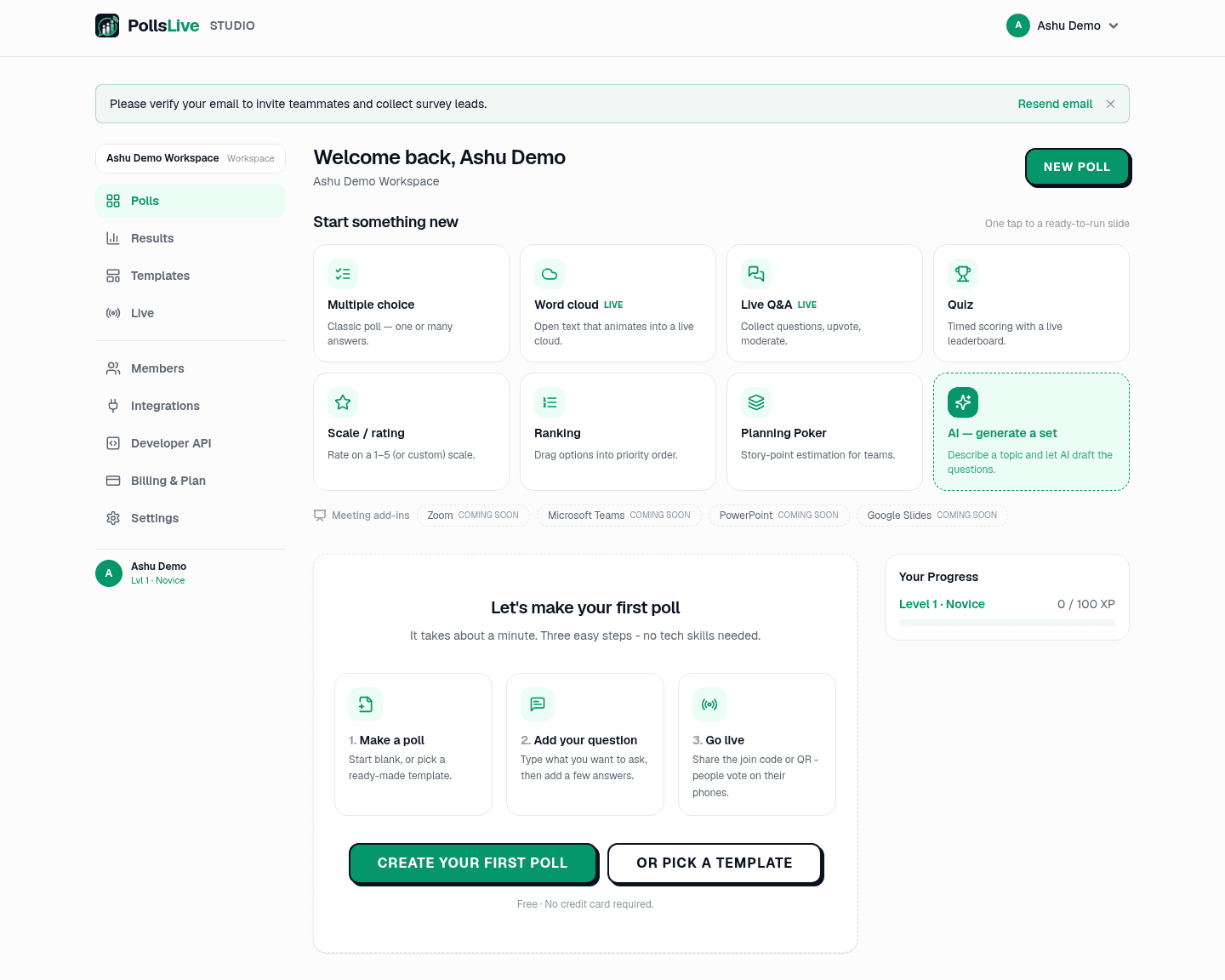
PollsLive 12 question types देता है, और सही type चुनना interaction land कराने का ज़्यादातर काम है। यहाँ हर type क्या करता है और कब use करें। Editor के Question type menu से per slide type चुनें, या Studio dashboard grid से straight start करें।
1. Multiple choice sawal
Classic poll: question और options, live bar chart। Single answer clean vote के लिए, या multiple answers जब कई pick कर सकें। Quick opinions, decisions, mood checks के लिए।
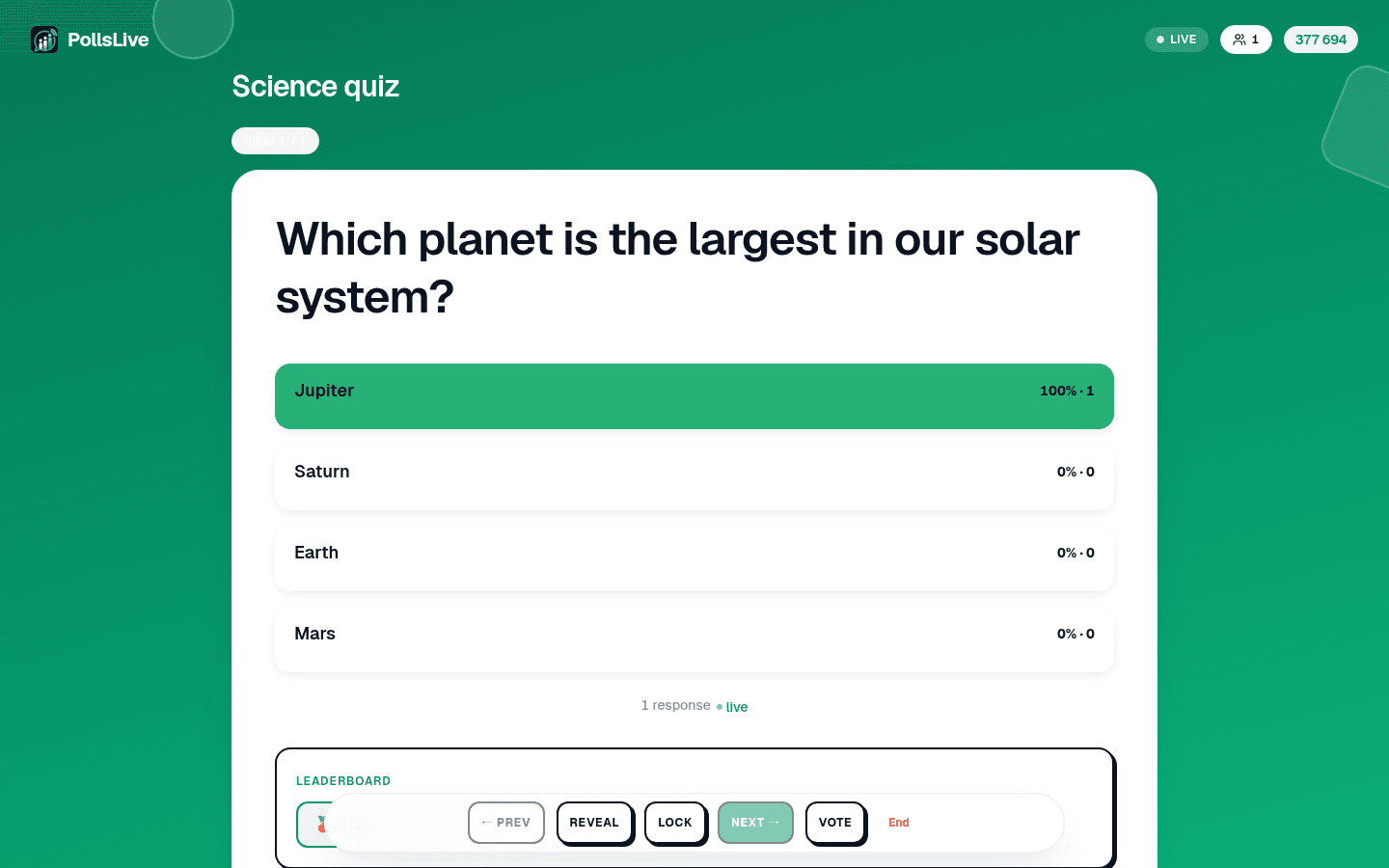
2. Scored quiz
Right answer, countdown timer, points वाला multiple-choice। Faster correct answers ज़्यादा score, leaderboard questions के बीच players rank करता है। Training checks, classrooms, trivia, जहाँ competition help करे।
3. Typed answer
Options के बिना quiz: हर player एक छोटा answer type करता है। आप हर वह answer लिखते हैं जो आप accept करते हैं (10 तक, ताकि "NYC" और "New York" दोनों गिने जाएँ), और capital-small letters या extra spaces से फ़र्क नहीं पड़ता। Points, speed bonus और timer choice quiz की तरह ही काम करते हैं। जब options की list answer बता दे, तब इसे use करें। Typed answer सिर्फ़ live session में चलता है।
4. Correct order
आप 3 से 6 items सही order में डालते हैं। हर player उन्हें अपने phone पर shuffled देखता है और वापस लगाता है। Scoring quiz जैसी है, पर सिर्फ़ exact match गिना जाता है: एक भी item गलत जगह हो तो answer गलत। Ranking से अलग, इसमें एक ही सही answer होता है, इसलिए timelines, process steps और history trivia के लिए बढ़िया। Correct order सिर्फ़ live session में चलता है।
5. Word cloud (open text)

Open-text question cloud के रूप में render: short answers type करते ही words gather, common ones biggest grow। Room का temperature उनके अपने words में लेने का सबसे तेज़ तरीका।
इस quarter के बारे में एक शब्द?
6. Live Q&A session
आपके सवाल answer करने के बजाय audience अपने पूछती है। Questions आती हैं, सब upvote कर सकते हैं जिनकी parwah है, आप moderate करते हैं क्या show हो। Talk के अंत, town hall, AMA: best questions खुद rise करें।
7. Scale ya rating
Range पर rating: 1 से 5 stars, NPS के लिए 0 से 10 recommend score, या agree/disagree Likert scale। Built-in presets से quick setup। Confidence checks, satisfaction, "कितनी strongly feel" questions।
8. Ranking sawal
Log options preferred order में drag करते हैं, aggregated priority list मिलती है। जब answer एक winner नहीं order है: कौन-से features पहले, topics cover, next sprint tackle।
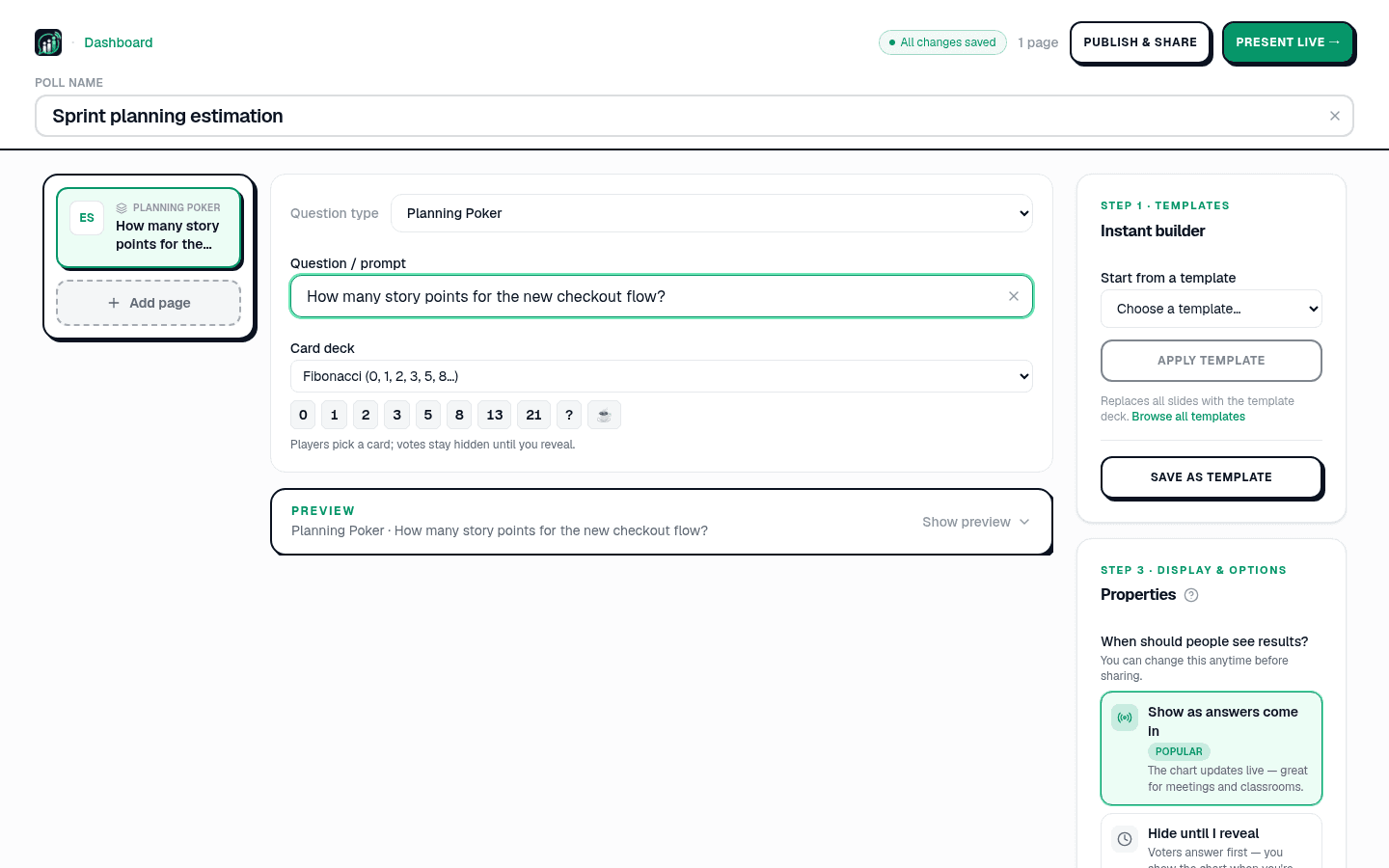
9. Planning Poker estimation
Software teams के लिए story-point estimation। सब deck से card pick (Fibonacci, T-shirt sizes, और more), votes reveal तक hidden, spread discussion spark करता है। Sprint planning के लिए built।
10. Brainstorm
हर व्यक्ति एक idea भेजता है। Ideas आते ही आप उन्हें presenter screen पर themes में group करते हैं (या suggested groups accept करते हैं), फिर room अलग-अलग ideas पर नहीं, groups पर vote करता है, ताकि जिस theme को कई लोगों ने अलग-अलग words में उठाया, वह किसी एक popular phrasing से हार न जाए। चाहें तो ideas पहले आपकी approval का इंतज़ार करें। Workshops और retrospectives के लिए बना, Brainstorm सिर्फ़ live session में चलता है।
11. Annotate
हर व्यक्ति अपने फ़ोन पर एक ही image पर draw करता है: किसी हिस्से पर circle, किसी जगह पर निशान, arrow या free drawing। आपकी screen हर drawing को image के ऊपर heat map, lines या gallery के रूप में दिखाती है और आते ही गिनती करती है; आप कोई भी drawing छिपा सकते हैं। इसे "इस floor plan पर problem कहाँ है?", "slide का जो हिस्सा साफ़ नहीं था उस पर circle करें" या answer zone वाले spot-the-detail quiz के लिए use करें।
12. Content info slide
Question नहीं, plain slide title, section header, या instruction के लिए। Long deck parts में तोड़ने (Employee satisfaction survey sections split करती है) या next question setup।
तो कौन-सा pick करें?
- Quick opinion या decision: multiple choice.
- Knowledge test, थोड़ा fun: quiz.
- बिना options के एक छोटा exact answer: typed answer.
- Steps या events उनके एक सही order में: correct order.
- अपने words में feelings: word cloud.
- Audience को पूछने दें: live Q&A.
- कितनी strongly feel: scale.
- Cheezon ko order में: ranking.
- Team के साथ work estimate: Planning Poker.
- Ideas collect करें, फिर themes पर vote: Brainstorm.
- Deck setup या divide: content slide.
Note
एक deck में जितने question types चाहें mix करें। build a poll from scratch से शुरू करें या टेम्पलेट गैलरी browse करें।
Try करने के लिए, build a poll from scratch या full question types reference खोलें।
अभी एक live poll शुरू करें: आपके लिए मुफ़्त sign-in, आपकी audience के लिए कोई app या account नहीं.
एक मुफ़्त poll बनाएँ