
July 10, 2026 · 8 min read
Quando mostrar os resultados de uma enquete
Mostre os resultados conforme os votos chegam, esconda até revelar ou colete uma pesquisa inteira numa página. Como funciona cada opção e quando usar.
Uma pequena configuração muda como uma enquete parece mais do que quase qualquer outra coisa: quando as pessoas podem ver os resultados. O PollsLive oferece uma escolha clara no editor, além de um terceiro modo para pesquisas com várias perguntas. Veja como escolher.
Onde defini-lo
No painel direito do editor há uma pergunta: Como vai conduzir esta sondagem? com duas opções: Ao próprio ritmo e Ao vivo, eu apresento. Escolha Ao vivo e aparecem abaixo duas opções: Ocultos até eu revelar, selecionada no início, e Visíveis conforme os votos chegam. Pode alterar qualquer uma a qualquer momento antes de compartilhar.
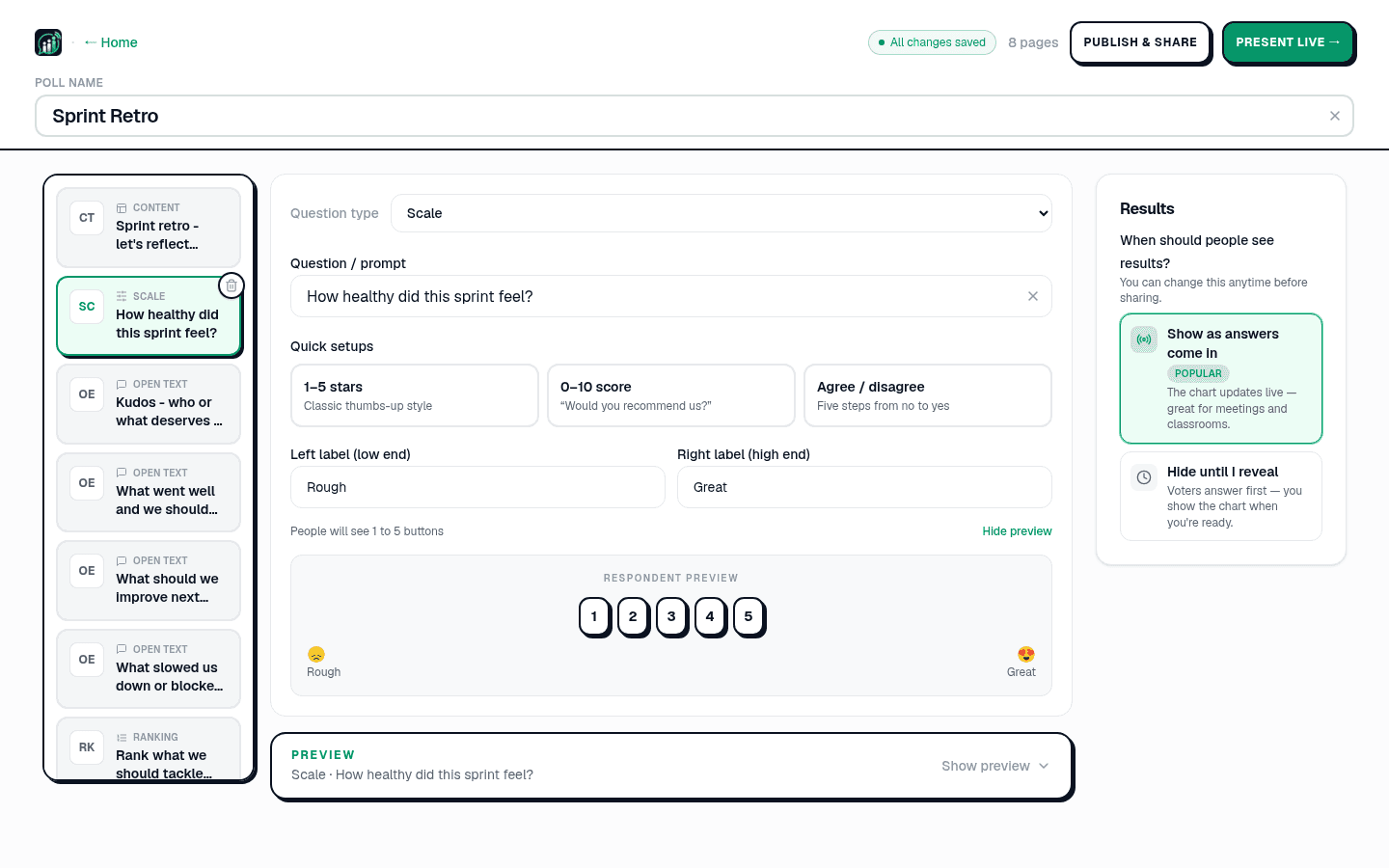
Oculto até você revelar (o padrão)
Todos respondem primeiro, e o gráfico permanece oculto até você pressionar Revelar. Use isso quando respostas antecipadas puderem influenciar as demais: uma previsão antes da resposta, uma opinião anônima em que você não quer que as pessoas apenas sigam a maioria ou um quiz em que a revelação é o ponto principal.
Visíveis conforme os votos chegam
Escolha esta opção e o gráfico é atualizado em tempo real conforme os votos chegam. É isso que as pessoas imaginam quando pensam em enquetes ao vivo, ótimo para reuniões, salas de aula e eventos em que ver as barras se moverem faz parte da energia. Slides de quiz e estimativa sempre esperam Revelar.
Mesma pergunta, dois momentos muito diferentes. Este é o tipo de divisão que você pode querer esconder até que todos tenham confirmado:
Antes de analisarmos, o novo preço aumentará ou reduzirá as inscrições?
Pesquisa: tudo em uma página
Há uma terceira experiência para enquetes com várias perguntas. Quando seu deck tem mais de uma pergunta, o PollsLive pode apresentá-lo como uma survey: todas as perguntas em uma página compartilhável, enviadas juntas, com resultados combinados no fim. Este é o modo para formulários de feedback, NPS com pergunta de acompanhamento e pesquisas de funcionários que as pessoas preenchem no próprio tempo. Ele é ativado automaticamente para decks de várias perguntas criados no criador de questionários e sempre mostra os resultados após o envio.
Tip
Ao vivo para a energia da sala, ocultar até revelar para a multidão não puxar o voto, pesquisa para respostas no tempo de cada um.
Ao vivo para a energia da sala, ocultar até revelar para a multidão não puxar o voto, pesquisa para respostas no tempo de cada um.
Não sabe qual formato sua enquete deve ter? Comece criando-a do zero e experimente ambos: a configuração muda com um clique.
Inicie uma enquete ao vivo agora: login grátis para você, sem app nem conta para seu público.
Criar enquete grátis