
July 6, 2026 · 8 min read
Poll share करें: link, QR code या website
अपना PollsLive poll लोगों तक पहुँचाने के सारे तरीके: एक share link, QR code, WhatsApp और Telegram, और किसी भी website में लगाने वाला embed।
Poll उतनी अच्छी है जितनी आप लोगों को उसमें ला पाते हैं। PollsLive share के कई तरीके देता है, और सही तरीका audience room में है या internet पर scattered।
Room में सामने: join PIN और QR
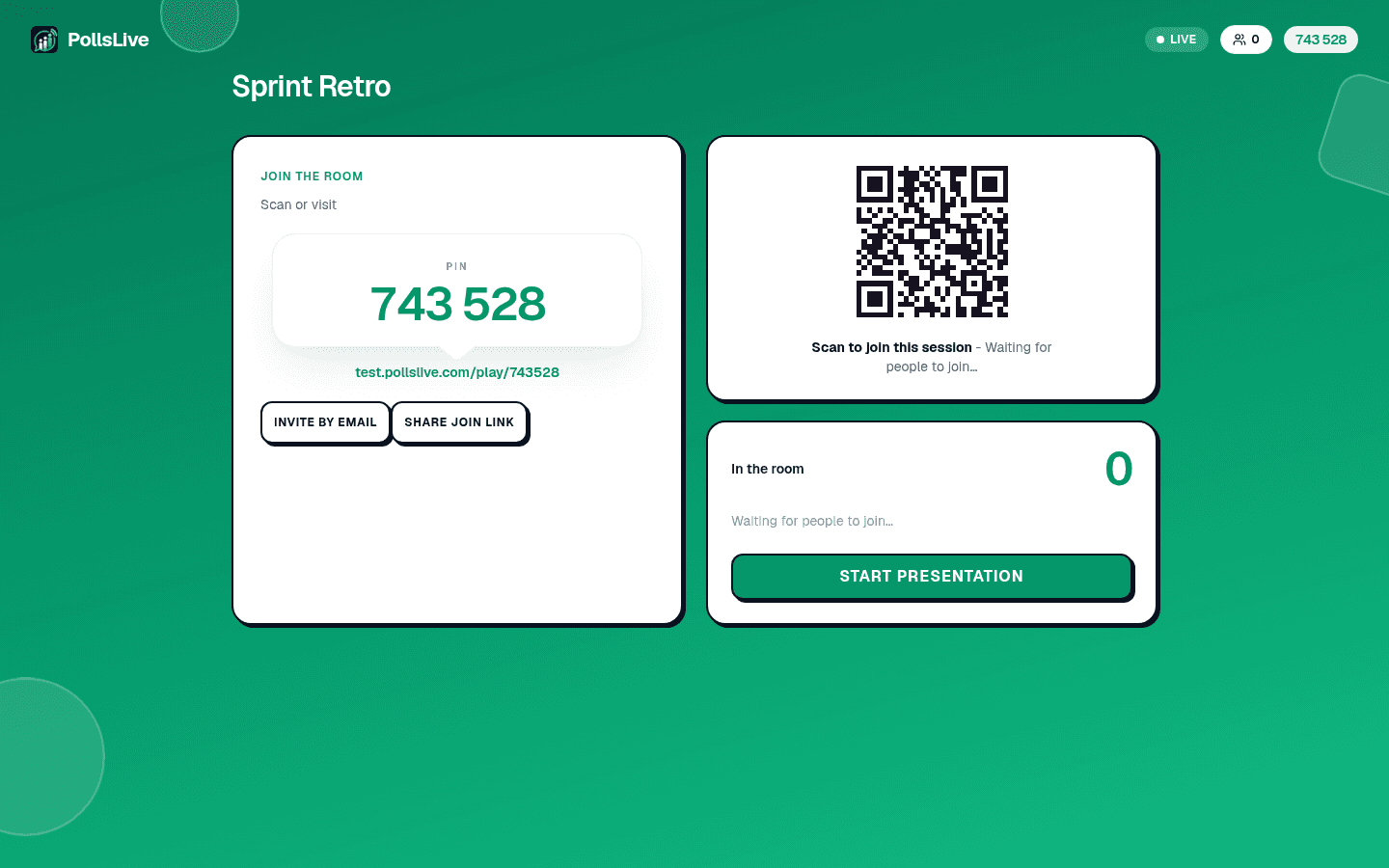
Present live click करने पर host console 6-digit join PIN और QR code दिखाता है। PIN aloud पढ़ें या code scan करवाएँ, किसी भी तरह app और account बिना अंदर। Meeting, class, event का सबसे तेज़ path।
किसी के लिए, कभी भी: link publish करें
लिंक शेयर करें click करें और poll permanent home pollslive.com/p/your-poll पर link और QR के साथ। Custom link set करें URL जैसा चाहिए। Link जैसे चाहें share, अभी या अगले week open हो।
Straight chat apps में
Share panel से poll (या results) straight WhatsApp, Telegram, X, LinkedIn, Facebook, या email में, one tap link copy। Results के लिए PollsLive branded recap image generate (numbers और QR वाला clean card), group chat paste में सही लगता है।
अपनी site में embed करें
Published poll या survey के लिए embed: snippet paste करें page में vote site छोड़े बिना। WordPress, Webflow, Squarespace, Notion, Ghost, plain HTML पर काम करता है। Code ऐसा दिखता है:
Tip
Room में PIN share करें। बाक़ी जगह link, और embed जब poll अपनी page पर live रहे।
<iframe
  src="https://pollslive.com/embed/your-poll"
  width="100%"
  height="600"
  style="border:0"
  title="Live poll"
  loading="lazy"
></iframe>
your-poll अपने poll slug से replace (/p/ या /embed/ के बाद), height adjust। बस, live poll अपनी page के अंदर।
Room में PIN share करें। बाक़ी जगह link, और embed जब poll अपनी page पर live रहे।
Sharing live poll चलाने का step three। two-minute walkthrough पूरा flow।
अभी एक live poll शुरू करें: आपके लिए मुफ़्त sign-in, आपकी audience के लिए कोई app या account नहीं.
एक मुफ़्त poll बनाएँ