
July 8, 2026 · 10 min read
Die 12 Fragetypen von PollsLive erklärt
Was jeder der 12 Fragetypen von PollsLive kann, von Multiple Choice und Quiz bis Wortwolke, Ranking und Annotieren, und wann du welchen einsetzt.
PollsLive bietet dir 12 Fragetypen, und die richtige Wahl ist der wichtigste Teil einer gelungenen Interaktion. Hier erfährst du, was jeder kann und wann du ihn einsetzen solltest. Du wählst den Typ pro Folie im Menü Question type im Editor oder startest direkt über das Raster im Studio-Dashboard.
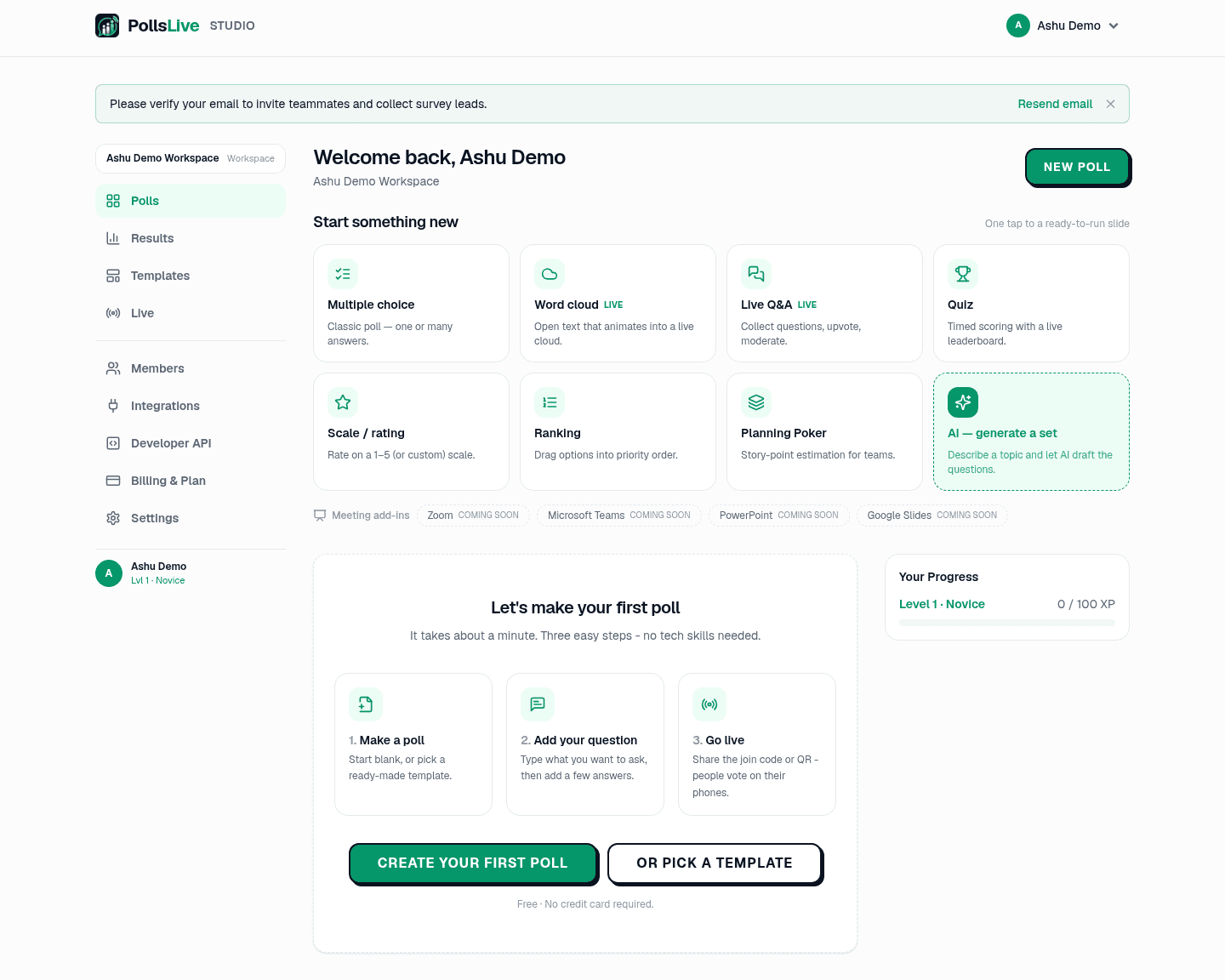
1. Multiple Choice
Die klassische Umfrage: eine Frage und eine Reihe von Optionen, als Live-Balkendiagramm dargestellt. Stelle sie auf single answer für eine klare Abstimmung oder auf multiple answers, wenn Menschen mehrere auswählen können. Nutze sie für schnelle Meinungen, Entscheidungen und Stimmungschecks.
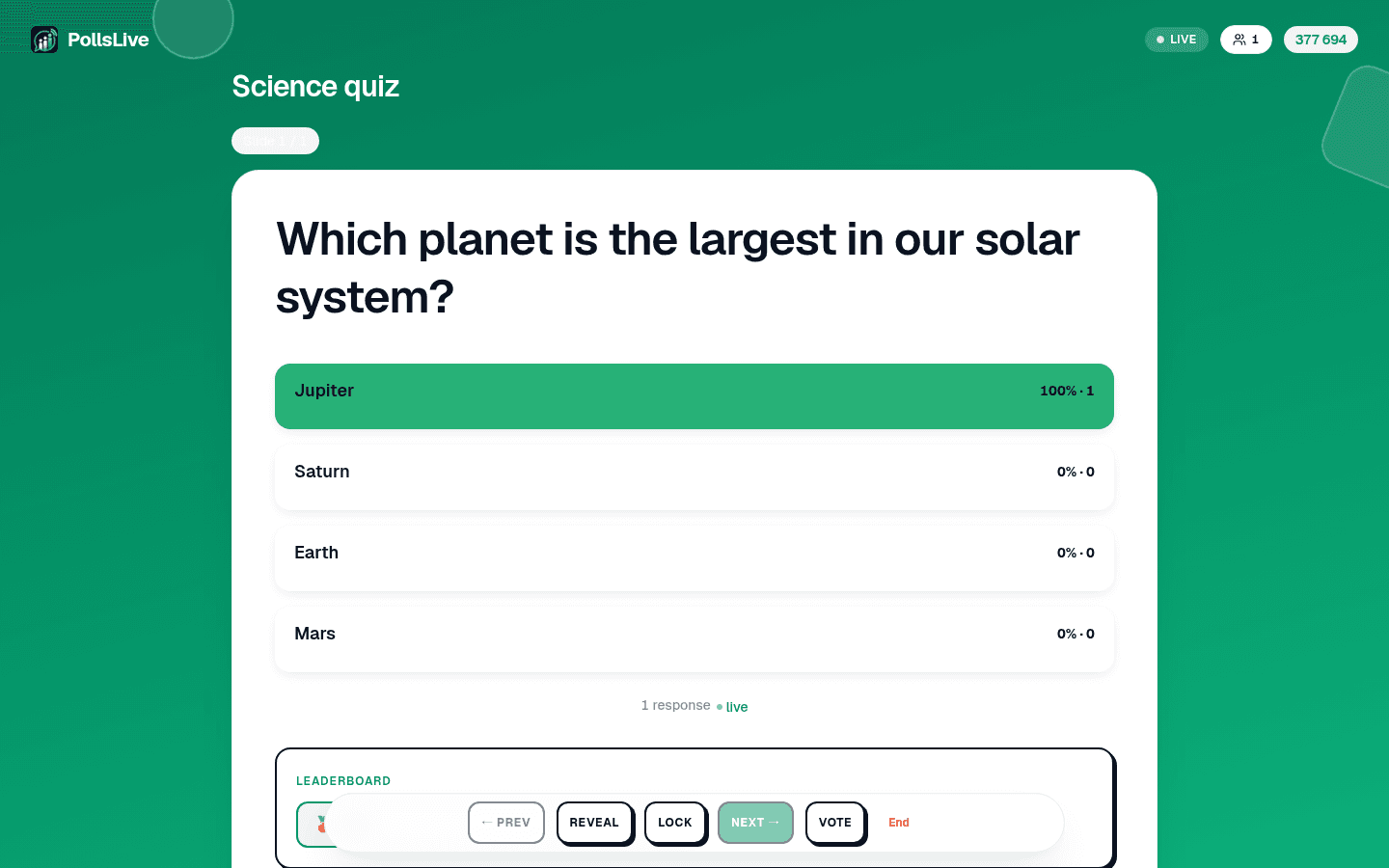
2. Quiz
Eine Multiple-Choice-Frage mit einer richtigen Antwort, Countdown-Timer und Punkten. Schnellere richtige Antworten bringen mehr Punkte, und eine Bestenliste ordnet die Spielenden zwischen den Fragen. Nutze sie für Schulungschecks, Unterricht und Quizze, überall dort, wo etwas Wettbewerb hilft.
3. Getippte Antwort
Ein Quiz ohne Antwortoptionen: Alle tippen eine kurze Antwort. Du legst jede Antwort fest, die gelten soll (bis zu 10, damit etwa "NYC" und "New York" beide zählen), und Groß- und Kleinschreibung sowie überflüssige Leerzeichen spielen keine Rolle. Punkte, Tempo-Bonus und Timer funktionieren wie beim Auswahl-Quiz. Nimm sie, wenn eine Liste von Optionen die Antwort verraten würde. Getippte Antwort gibt es nur in einer Live-Session.
4. Richtige Reihenfolge
Du gibst 3 bis 6 Elemente in der richtigen Reihenfolge ein. Alle sehen sie gemischt auf dem Handy und sortieren sie zurück. Gewertet wird wie beim Quiz, aber nur eine exakte Übereinstimmung zählt: Ein Element an der falschen Stelle ist falsch. Anders als beim Ranking gibt es genau eine richtige Antwort, ideal für Zeitleisten, Prozessschritte und Geschichtsfragen. Richtige Reihenfolge gibt es nur in einer Live-Session.
5. Wortwolke (Freitext)

Eine Freitextfrage, die als Wolke dargestellt wird: Während Menschen kurze Antworten eingeben, sammeln sich die Wörter, und die häufigsten werden am größten. Das ist der schnellste Weg, die Stimmung eines Raums in dessen eigenen Worten zu erfassen.
Ein Wort dafür, wie dieses Quartal lief?
6. Live-Fragerunde
Statt deine Frage zu beantworten, stellt das Publikum seine eigenen. Fragen gehen ein, alle können die wichtigen upvote, und du moderierst, was angezeigt wird. Perfekt für das Ende eines Vortrags, ein Town Hall oder ein AMA, bei dem die besten Fragen von selbst nach oben kommen sollen.
7. Skala / Bewertung
Eine Bewertung auf einer Skala: 1 bis 5 Sterne, ein Empfehlungswert von 0 bis 10 für NPS oder eine Zustimmung/Ablehnung-Likert-Skala. Mit den integrierten Voreinstellungen schnell eingerichtet. Nutze sie für Vertrauenschecks, Zufriedenheit und jede Frage nach der Stärke eines Gefühls.
8. Ranking
Menschen ziehen Optionen in ihre bevorzugte Reihenfolge, und du erhältst eine aggregierte Prioritätenliste. Ideal, wenn die Antwort kein einzelner Gewinner, sondern eine Reihenfolge ist: welche Funktionen zuerst gebaut werden sollen, welche Themen behandelt werden, was im nächsten Sprint angegangen wird.
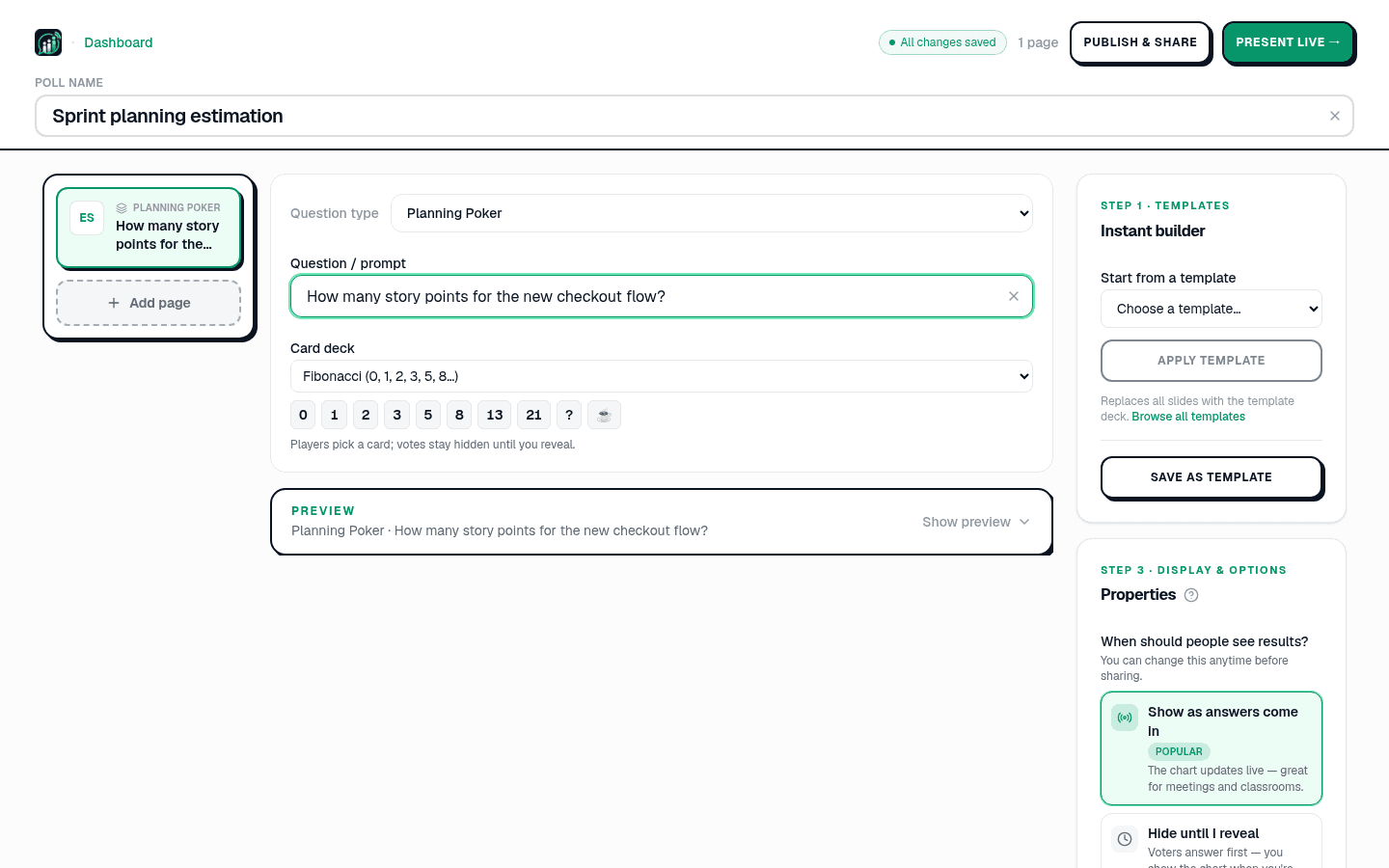
9. Planning Poker
Story-Point-Schätzung für Software-Teams. Alle wählen eine Karte aus einem Deck (Fibonacci, T-Shirt-Größen und mehr), Stimmen bleiben verborgen, bis du sie enthüllst, und die Streuung entfacht die Diskussion. Entwickelt für die Sprint-Planung.
10. Brainstorm
Jede Person schickt eine Idee. Während die Ideen eintreffen, gruppierst du sie auf dem Präsentationsbildschirm zu Themen (oder übernimmst vorgeschlagene Gruppen), und dann stimmt der Raum über die Gruppen ab statt über einzelne Ideen. So wird ein Thema, das viele mit unterschiedlichen Worten genannt haben, nicht von einer einzigen beliebten Formulierung überstimmt. Auf Wunsch erscheinen Ideen erst, nachdem du sie freigegeben hast. Gemacht für Workshops und Retrospektiven, Brainstorm gibt es nur in einer Live-Session.
11. Annotieren
Alle zeichnen auf ihrem Handy auf dasselbe Bild: einen Bereich einkreisen, eine Stelle markieren, einen Pfeil ziehen oder frei skizzieren. Dein Bildschirm legt alle Zeichnungen als Heatmap, als Linien oder als Galerie über das Bild und zählt sie, sobald sie eintreffen; einzelne Zeichnungen kannst du ausblenden. Nutze es für „Wo liegt das Problem auf diesem Grundriss?“, „Kreise den Teil der Folie ein, der unklar war“ oder ein Suchbild-Quiz mit markierter Lösungszone.
12. Inhaltsfolie
Gar keine Frage: eine einfache Folie für einen Titel, eine Abschnittsüberschrift oder eine Anweisung. Nutze sie, um ein langes Deck in Teile aufzuteilen (die Mitarbeiterzufriedenheitsumfrage nutzt sie zur Trennung ihrer Abschnitte) oder um die nächste Frage vorzubereiten.
Welches wählst du also?
- Eine schnelle Meinung oder Entscheidung: Multiple Choice.
- Teste Wissen mit etwas Spaß: Quiz.
- Eine kurze, exakte Antwort ohne Optionen zum Raten: getippte Antwort.
- Schritte oder Ereignisse in ihrer einen richtigen Reihenfolge: richtige Reihenfolge.
- Gefuehle in eigenen Worten: Word Cloud.
- Publikum fragen lassen: Live-Q&A.
- Wie stark sie fuehlen: Skala.
- Bringe Dinge in eine Reihenfolge: Ranking.
- Arbeit im Team schaetzen: Planning Poker.
- Ideen sammeln, dann über die Themen abstimmen: Brainstorm.
- Ein Deck einrichten oder aufteilen: Inhaltsfolie.
Note
Du kannst beliebig viele Fragetypen in einem Deck mischen. Starte mit Umfrage von Grund auf bauen oder stöbere in die Vorlagengalerie.
Um sie auszuprobieren, erstelle eine Umfrage von Grund auf oder öffne die vollständige Referenz zu Fragetypen.
Starte jetzt sofort eine Live-Umfrage: kostenlose Anmeldung für dich, keine App und kein Konto für dein Publikum.
Kostenlose Umfrage erstellen