
July 7, 2026 · 8 min read
Modelos de enquete: salve e reutilize
Transforme qualquer enquete em modelo, crie uma nova com um clique e organize suas enquetes em pastas. A mesma enquete toda semana sem refazer.
Se você faz a mesma verificação toda semana (um pulso de reunião diária, uma retrospectiva, um ticket de saída da aula), você deveria criá-la uma vez e reutilizá-la, não começar com um deck em branco a cada vez. O PollsLive tem duas formas de fazer isso: seus próprios modelos salvos e pastas para manter tudo organizado.
Salve qualquer enquete como modelo
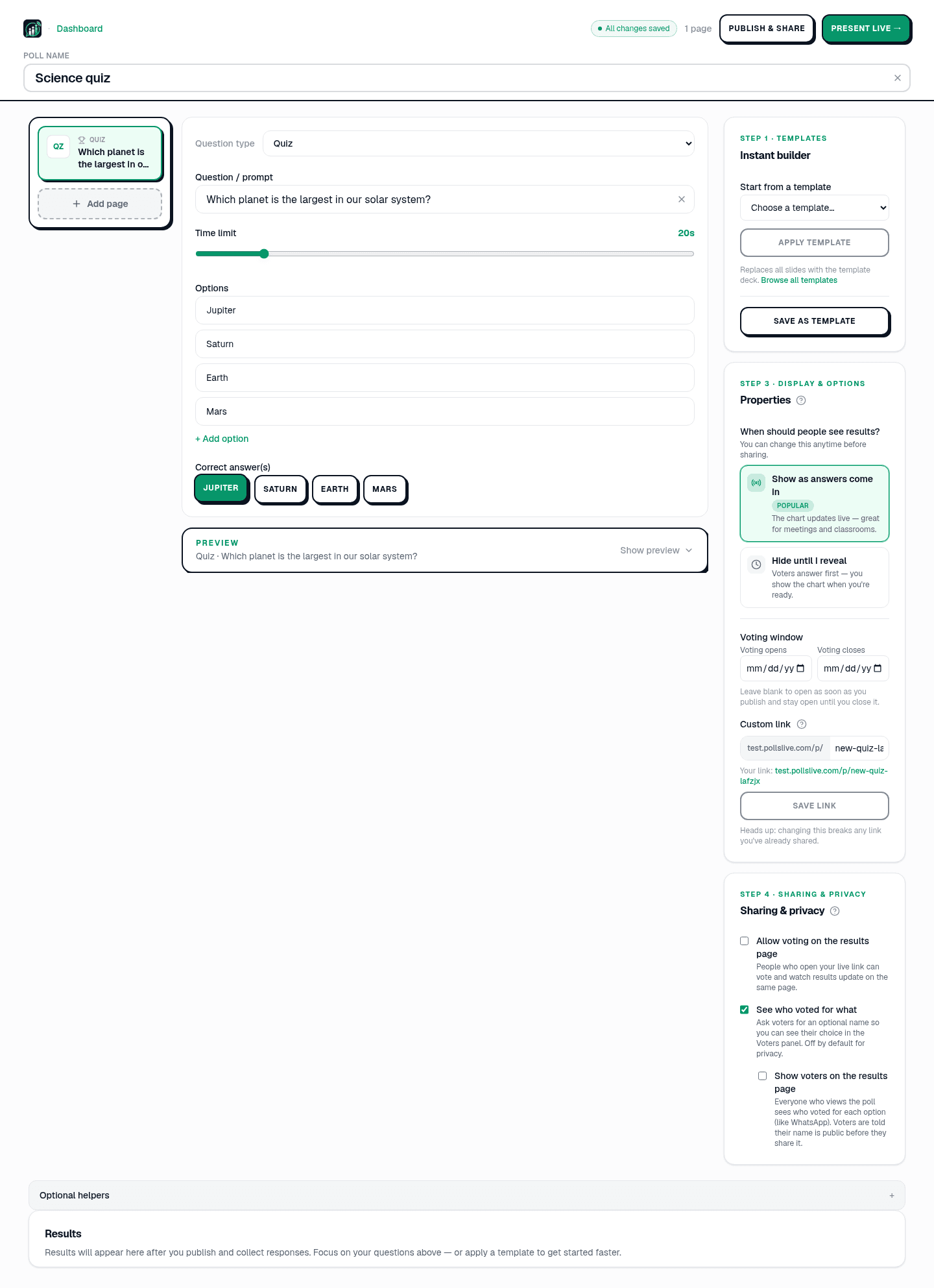
Abra uma enquete no editor Studio e veja o cartão Templates no painel direito. Clique em Save as template e seu deck atual (cada pergunta, opção e configuração) será armazenado no seu workspace. Há espaço para até 30 modelos próprios.
Aplicar um modelo a uma nova enquete
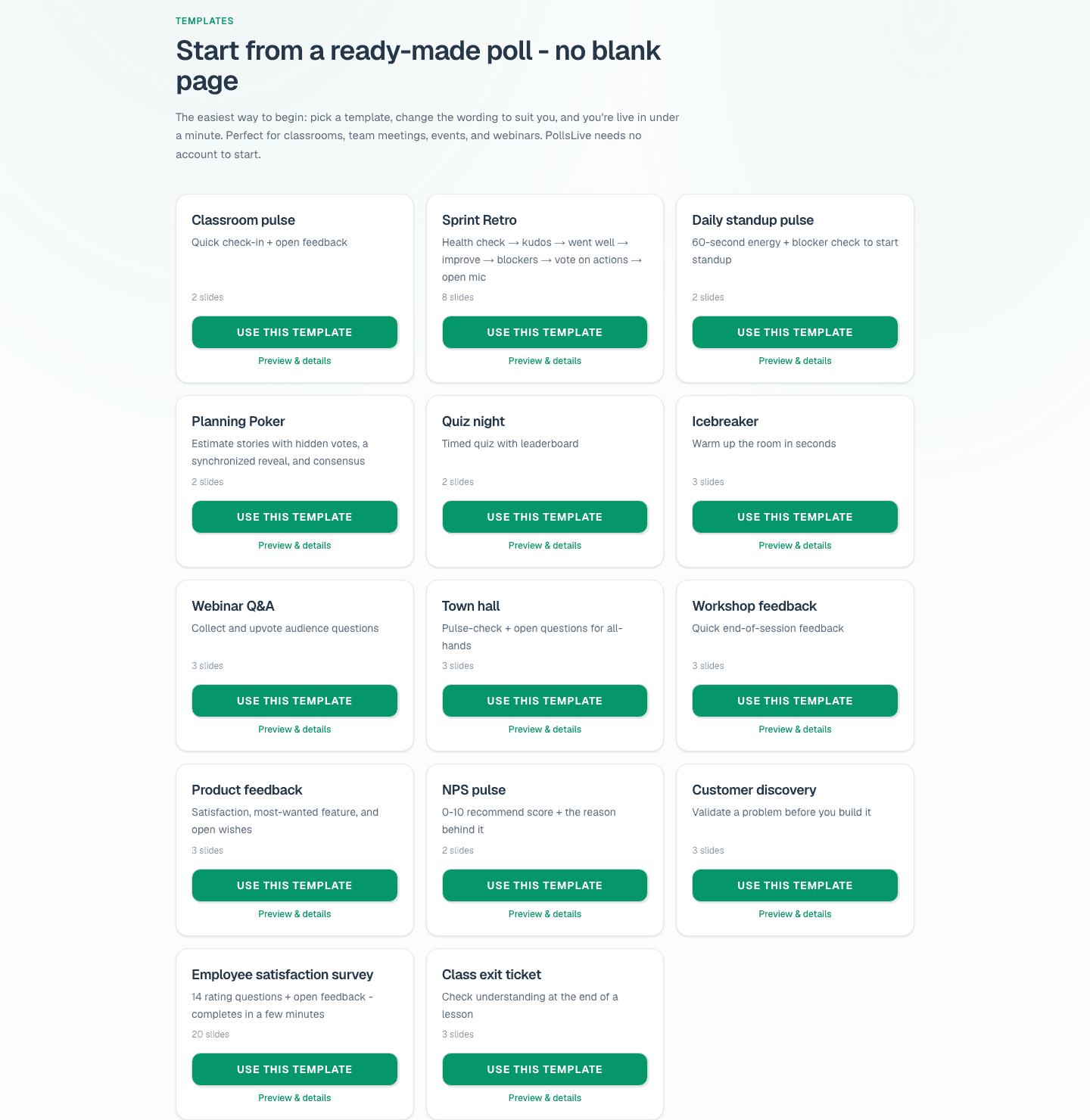
Começando uma enquete nova? Nesse mesmo painel, use Start from a template para escolher uma (seus modelos salvos ficam ao lado dos 14 integrados, como Sprint Retro, NPS pulse e Quiz night), depois clique em Apply template. Isso substitui os slides atuais pelo deck do modelo, pronto para ajustar. Você também pode explorar tudo na galeria de modelos e clicar em Use this template lá.
Tip
Salve seu melhor deck semanal como template do workspace: a rodada da semana que vem fica a um clique em Apply.
Mantenha suas enquetes organizadas com pastas
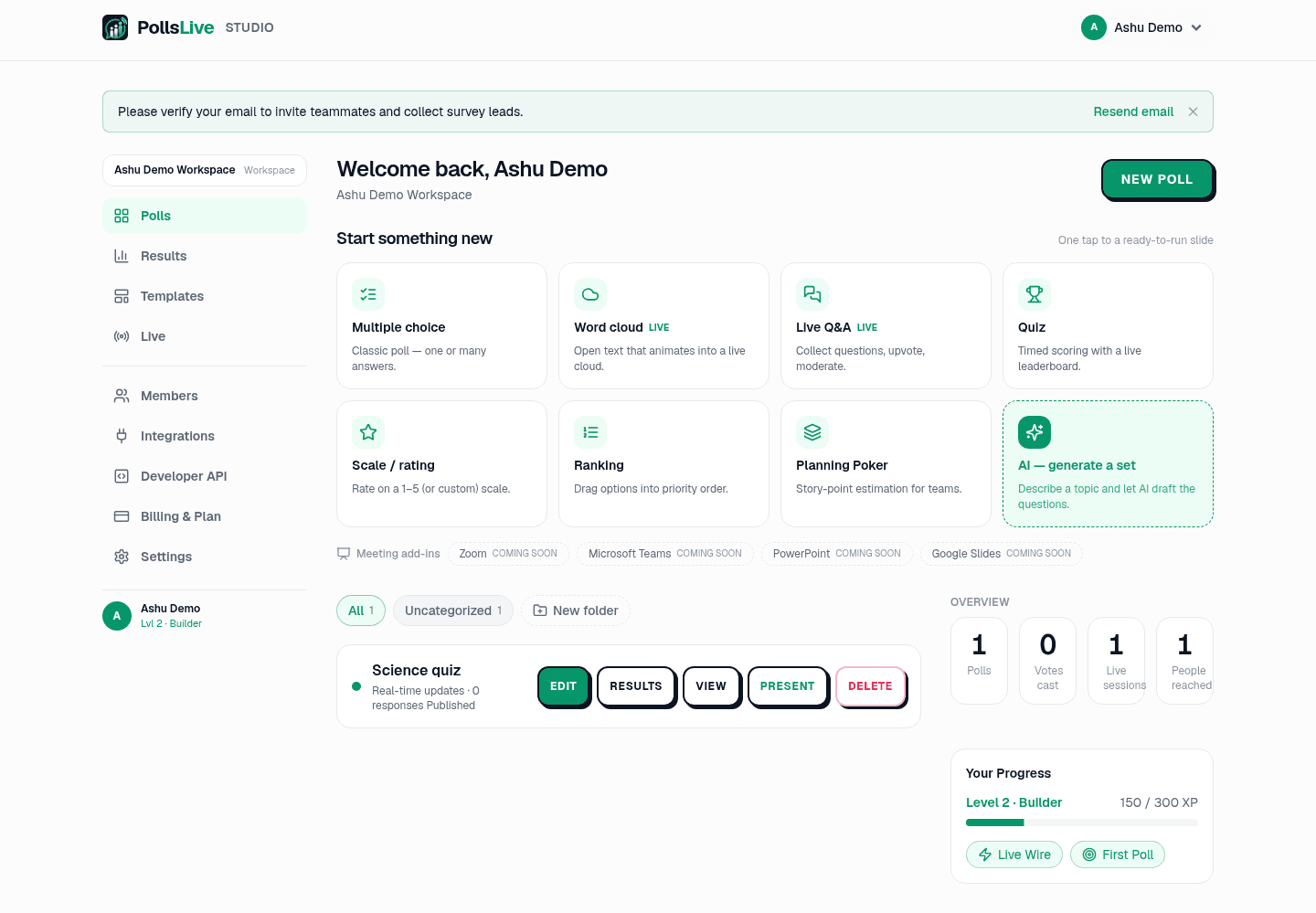
Conforme você acumula enquetes, o painel pode ficar cheio. Use New folder para agrupá-las (por exemplo, uma pasta por equipe ou turma) e mova uma enquete para uma pasta a partir da linha dela. Filtre o painel por pasta com as abas no topo (All, Uncategorized e cada pasta que você criar).
Junte esses dois hábitos e um ritual semanal leva segundos: aplique seu modelo salvo, apresente-o e arquive a enquete na pasta. A tendência se acumula ao longo do tempo sem que você precise reconstruir o deck.
Monte bem uma vez, salve como modelo e cada execução futura estará a um clique.
Quer o quadro completo sobre realizar a mesma enquete em uma programação? Veja enquetes recorrentes sem reconstruir.
Inicie uma enquete ao vivo agora: login grátis para você, sem app nem conta para seu público.
Criar enquete grátis