
June 24, 2026 · 8 min read
How to Use an AI Quiz Generator (And Where They Fall Short)
AI quiz generators save hours of question writing, but they get facts wrong and miss your class context. How to get the most from them: AI drafts, human edits.
AI quiz generators are one of the genuine time-savers to emerge from the generative AI wave: a 20-question multiple choice quiz that would take 45 minutes to write by hand can be drafted in under 2 minutes. But they have consistent failure modes that make the raw output unreliable: hallucinated facts, questions that are too easy, distractors that are obviously wrong, and a complete lack of your course/context specificity. Here's how to use them well.
What AI quiz generators are actually good at
- Drafting volume quickly: generating 30 questions you narrow to 15 is faster than writing 15 from scratch
- Varying difficulty: ask explicitly for 3 easy / 5 medium / 2 hard and the distribution usually holds
- Creating plausible distractors: the wrong answers in multiple choice need to be believable; AI is better at this than most humans
- Reformatting existing content: paste in a paragraph and ask for 5 comprehension questions; works reliably
- Translating question types: convert a true/false question to multiple choice, or a fill-in-the-blank to a ranking
Where they consistently fail
- Factual accuracy: always verify every answer against an authoritative source; LLMs hallucinate confidently
- Currency of information: anything after the model's training cutoff may be wrong or out of date
- Your context: AI doesn't know your students covered topic X last week, or that your company uses a specific internal process
- Nuanced correct answers: 'the best answer' questions where the nuance matters are frequently wrong
- Cultural fit: examples and scenarios often default to US/Western contexts
The best workflow: AI draft → human edit → live
- Prompt for volume. Ask for 20-30 questions. You'll cut it to 10-15 after reviewing.
- Specify format. 'Multiple choice with 4 options, one correct, plausible distractors, difficulty: intermediate.'
- Give context. Paste in the learning objective, relevant paragraph, or product spec you're testing on.
- Review every answer. Mark anything you're unsure about as 'verify'. Look it up before using.
- Rewrite bad distractors. AI distractors often have an obviously-wrong pattern; fix the ones that give the answer away.
- Add your real-world context. Replace generic examples with ones specific to your course, company, or audience.
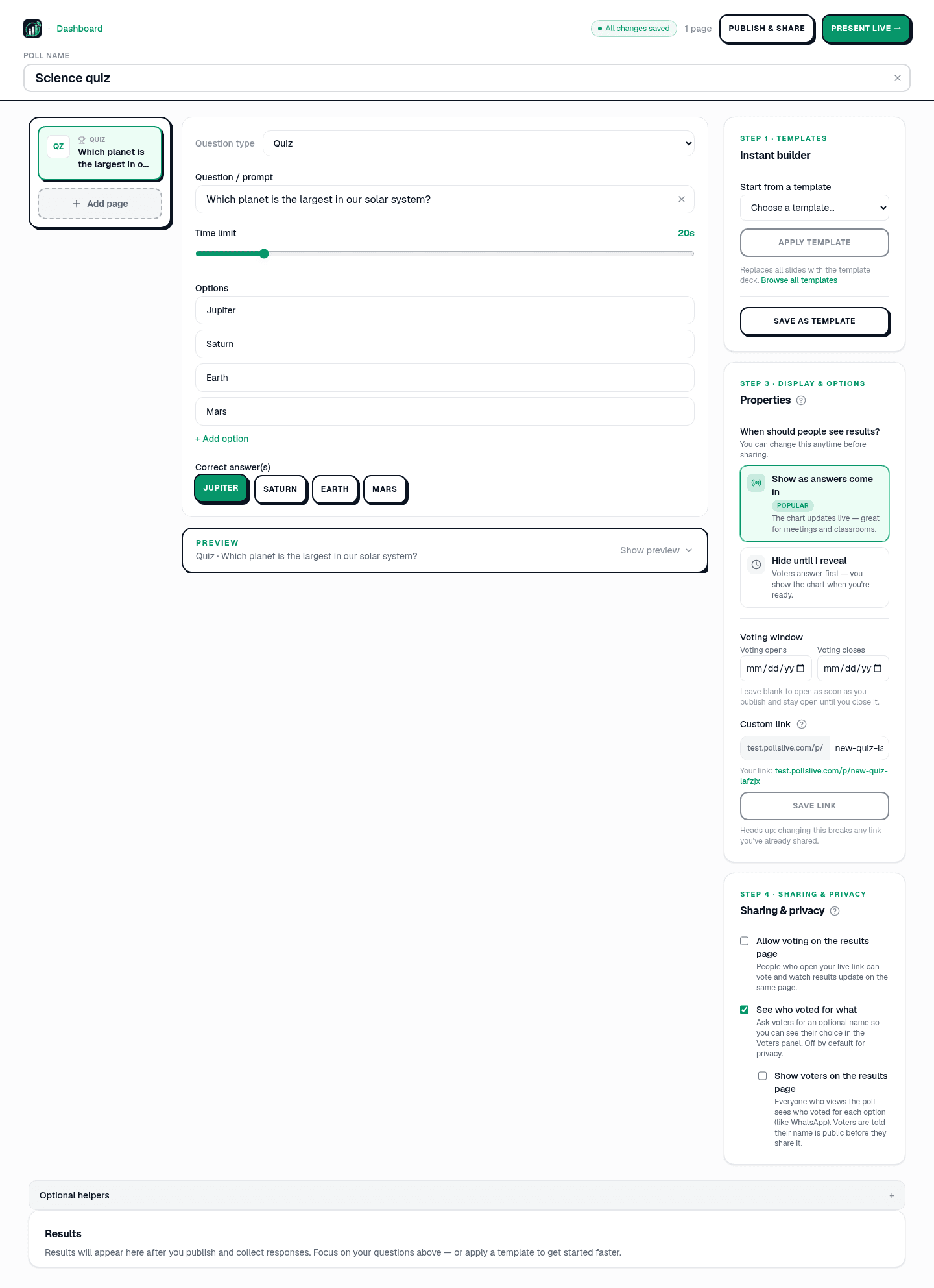
- Import into PollsLive. Build the deck, run it live or share the async link.
Which is the primary cause of hallucination in LLMs?
Prompt templates that work
- Topic-based: 'Generate 20 multiple choice questions about [topic] at [beginner/intermediate/advanced] level. 4 options each. Mark the correct answer.'
- Content-based: 'Read this paragraph and generate 5 comprehension questions: [paste text].'
- Difficulty-distributed: 'Generate 10 questions: 3 easy recall, 5 application, 2 analysis-level.'
- Distractor-focused: 'Generate 5 multiple choice questions where the wrong answers are plausible misconceptions, not obviously wrong.'
- Scenario-based: 'Generate 5 situational questions for a customer service training: a customer says [scenario], the agent should…'
AI quiz tools worth trying
- ChatGPT / Claude / Gemini: raw LLM prompting; most flexible, requires most editing
- Quizgecko: purpose-built quiz generator from text/PDF; good for content-based quizzes
- Diffit: education-focused; generates leveled reading passages + questions from a topic
- Quillionz: generates questions from uploaded text; strong for corporate training
- PollsLive AI branching (beta): generates conditional question trees: 'if majority picks wrong answer, show a follow-up explanation slide'
PollsLive AI in the editor
PollsLive builds the deck with Build with Pulse AI in Studio. The card suggests topics other people are building, and rotates them so the same account does not see the same ideas on every visit. A deck costs 1 credit per 5 slides, and the Build button shows that cost before anything is spent. Free workspaces get 2 credits a month. Pro and Premium include a larger monthly quota; when it runs out, buy a one-time AI credit pack ($5 for 20 credits or $15 for 80) from Studio → Billing & Plan without upgrading your plan. Monthly quota is spent first; unused packs can be refunded. Chatting with Pulse AI uses a separate allowance and does not spend those credits.
Walkthrough: buy more AI credits without changing your plan. Policy details: AI credits guide.
The bottom line
AI quiz generators are a drafting tool, not a publishing tool. The 20-minute saving on writing gets eaten up if you skip the review step and a factual error makes it into a class assessment. Treat AI output as a first draft: fast to generate, always human-reviewed before going live. The best results come from specific prompts + content paste + a 10-minute human edit pass. For more on running the resulting quiz, see how to make a quiz.
Tip
Always read AI-generated questions aloud once: fix anything ambiguous before you go live.
Manual alternative: how to make a quiz. Browse the template gallery.
Spin up a live poll right now. Free sign-in for you, no app or account for your audience.
Create a free poll