
July 7, 2026 · 8 min read
Poll templates: save करें, फिर इस्तेमाल करें
किसी भी poll को template बनाइए, एक click में नया deck शुरू कीजिए और polls को folders में रखिए। हर हफ़्ते वही poll, बिना दोबारा बनाए।
अगर हर week same check चलाते हैं (standup pulse, retro, class exit ticket), एक बार बनाएँ और reuse करें, हर बार blank deck से न शुरू करें। PollsLive में दो तरीके: अपने saved templates, और folders सब tidy रखने के लिए।
किसी भी poll को template के रूप में save करें
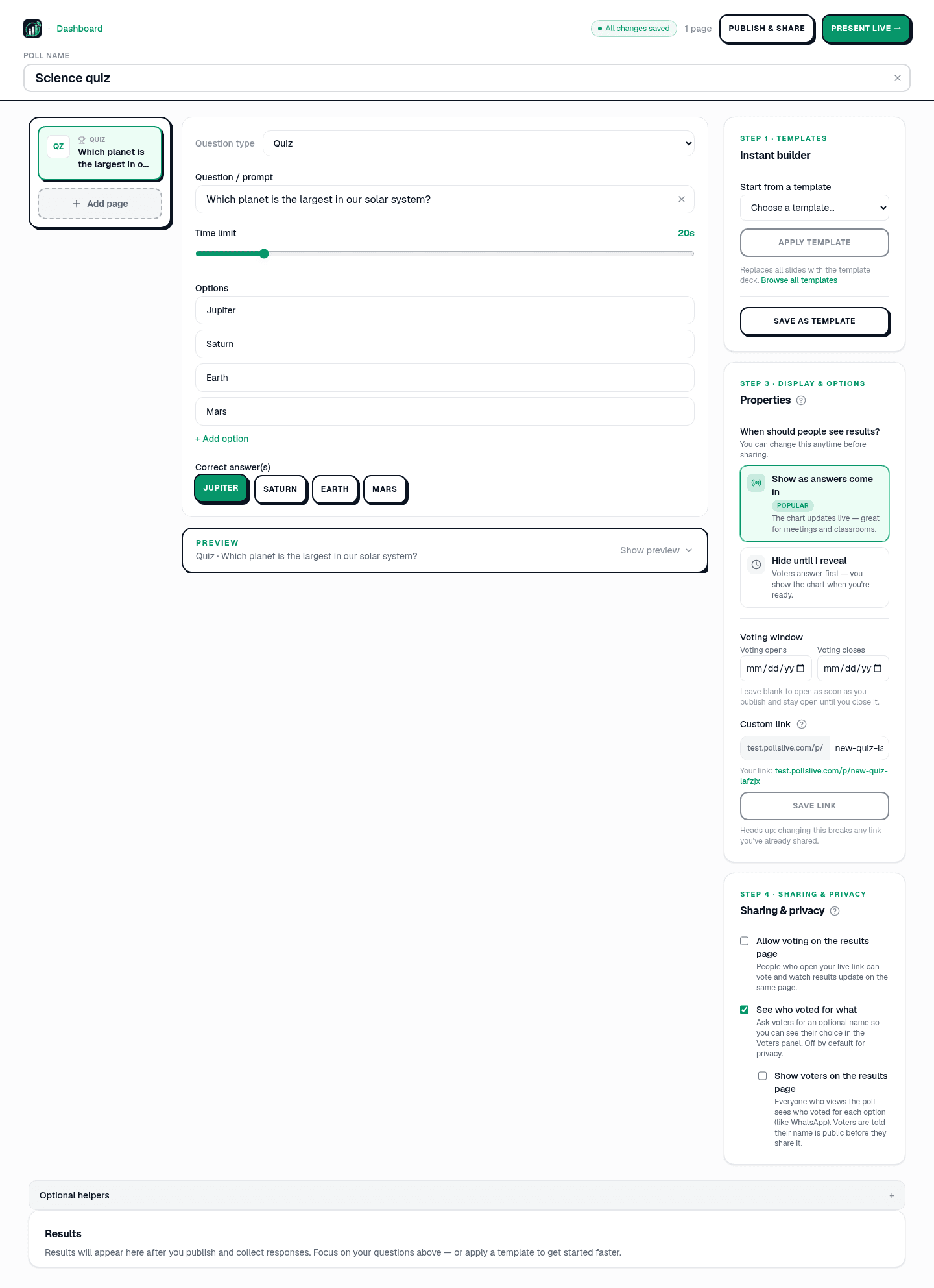
Studio editor में poll खोलें और दाईं ओर के पैनल में Templates कार्ड देखें। Save as template click करें और current deck (हर question, option, setting) workspace में store हो जाता है। अपने 30 templates तक की जगह है।
Template को new poll पर apply करें
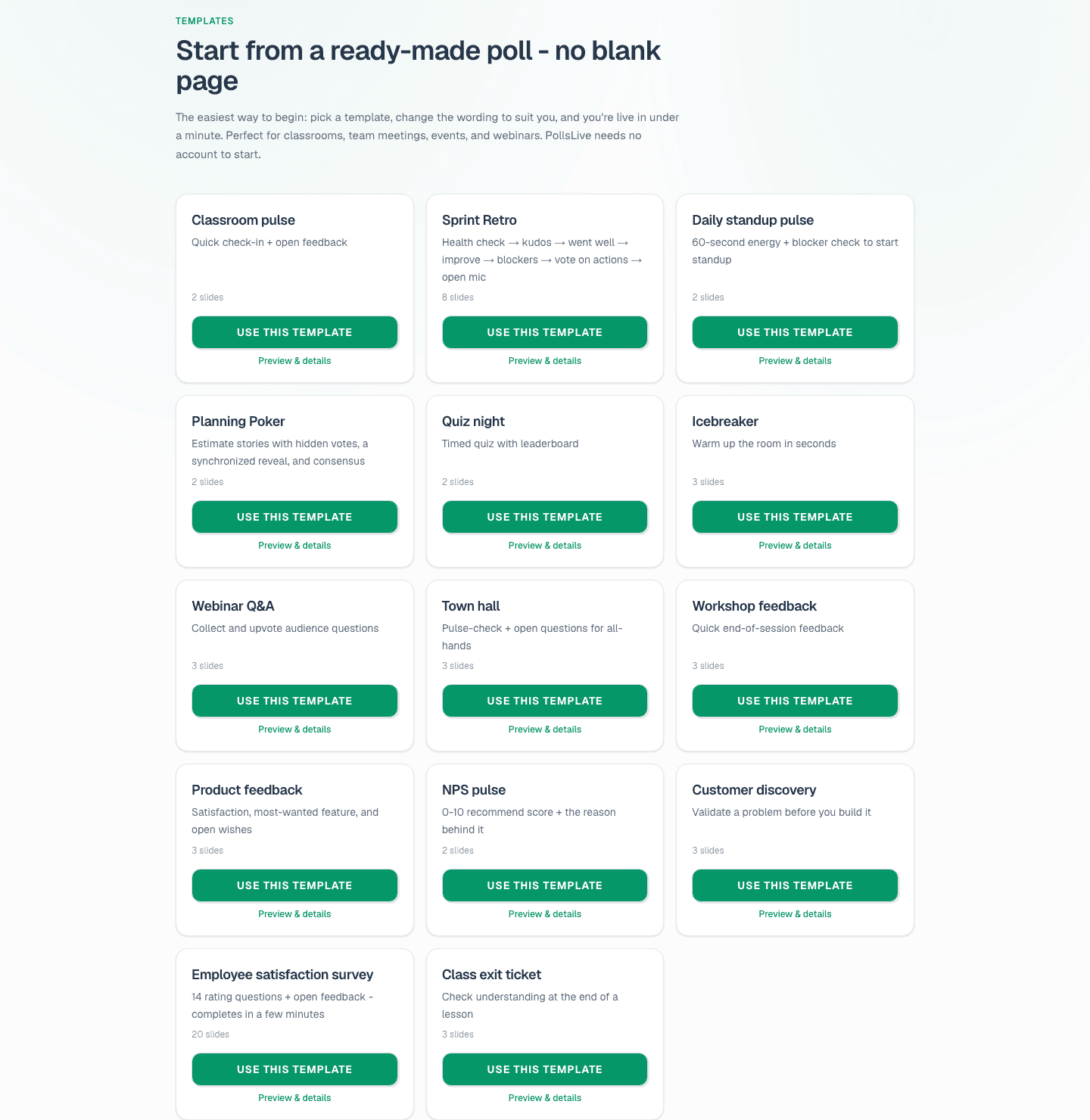
Fresh poll शुरू कर रहे हैं? उसी panel में Start from a template से pick करें (saved templates 14 built-in ones जैसे Sprint Retro, NPS pulse, Quiz night के साथ), फिर Apply template click करें। Current slides template deck से replace हो जाती हैं, tweak के लिए ready। template gallery में browse करके Use this template भी दबा सकते हैं।
Tip
Best weekly deck workspace template के रूप में save करें: अगले week का run एक Apply click दूर है।
Folders से polls tidy रखें
Polls बढ़ते जाने पर dashboard busy हो जाता है। New folder से group करें (team या class प्रति folder) और row से poll folder में move करें। Top tabs (All, Uncategorized, और हर folder) से dashboard filter करें।
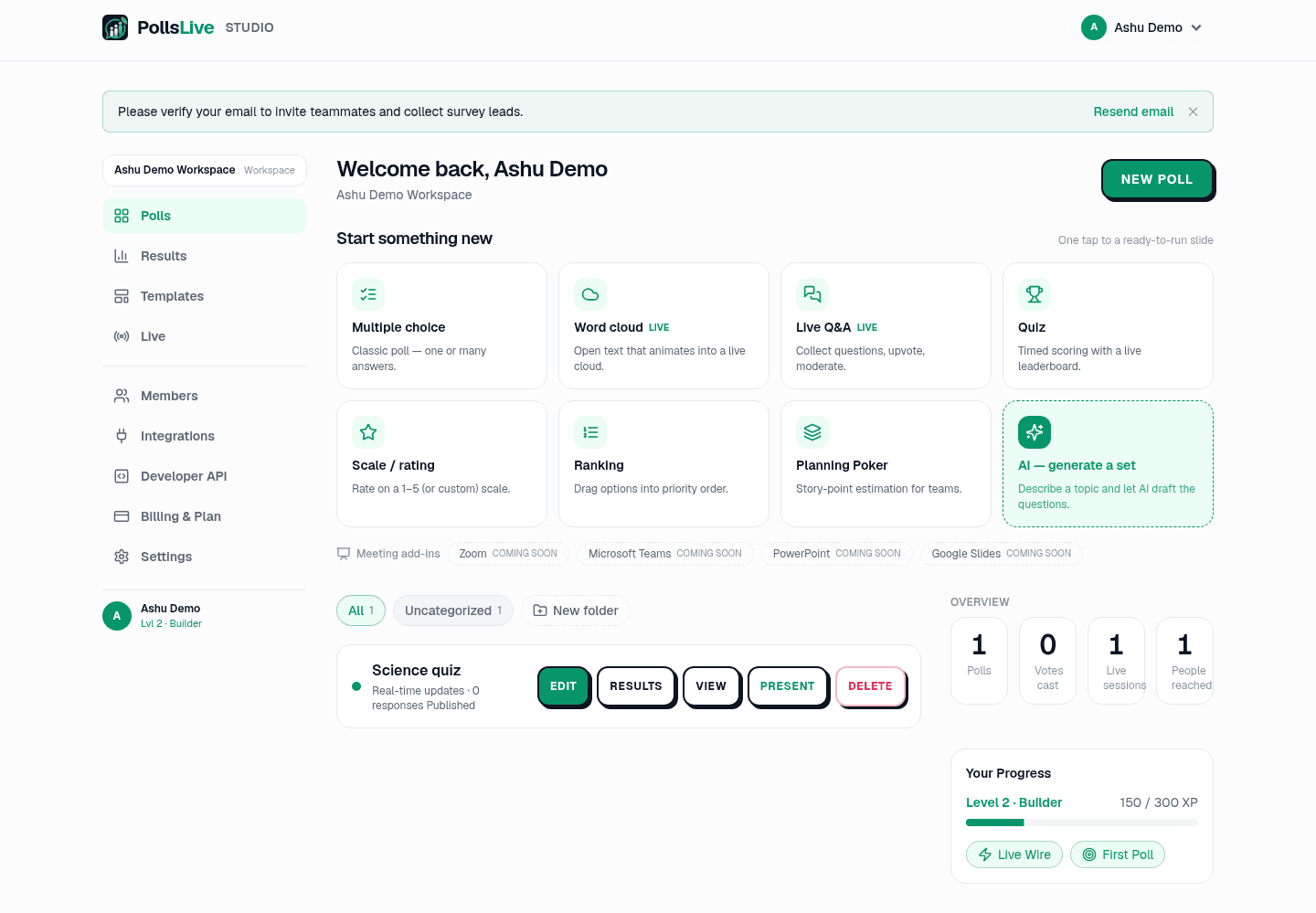
दो habits मिलाएँ और weekly ritual seconds में: saved template apply करें, present करें, poll folder में file करें। Trend time के साथ build होता है बिना deck rebuild किए।
एक बार अच्छा बनाएँ, template save करें, हर future run single click दूर।
Schedule पर same poll चलाने की full picture? recurring polls without rebuilding देखें।
अभी एक live poll शुरू करें: आपके लिए मुफ़्त sign-in, आपकी audience के लिए कोई app या account नहीं.
एक मुफ़्त poll बनाएँ