
July 7, 2026 · 8 min read
Poll Templates: Save Your Own and Reuse Them
Turn any poll into a reusable template, start a new deck from it in one click, and keep polls tidy in folders. Run the same poll every week without rebuilding.
If you run the same check every week (a standup pulse, a retro, a class exit ticket), you should build it once and reuse it, not start from a blank deck each time. PollsLive has two ways to do that: your own saved templates, and folders to keep everything tidy.
Save any poll as a template
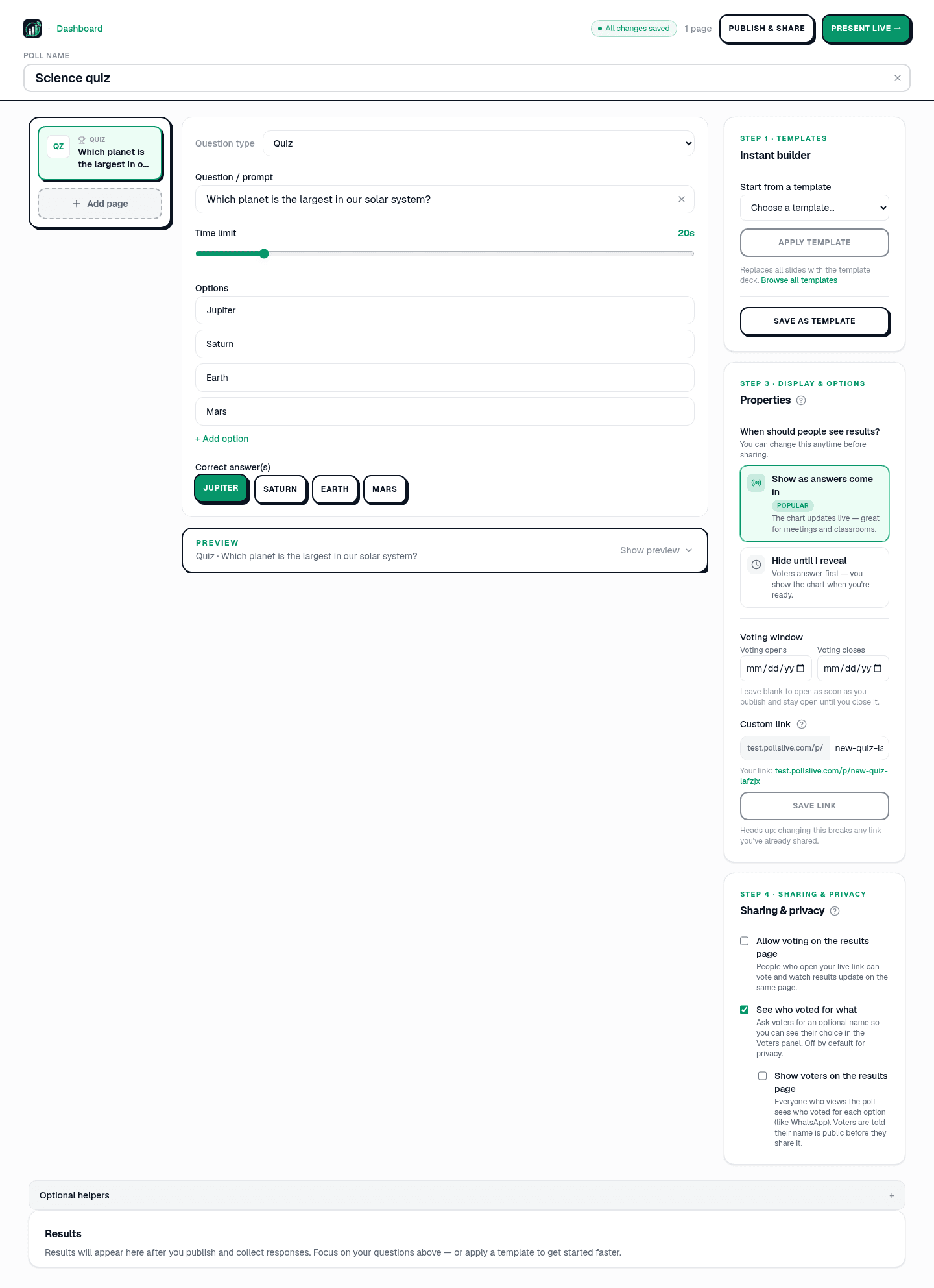
Open a poll in the Studio editor and look at the Templates card in the right-hand panel. Click Save as template and your current deck (every question, option, and setting) is stored in your workspace. There is room for up to 30 of your own templates.
Apply a template to a new poll
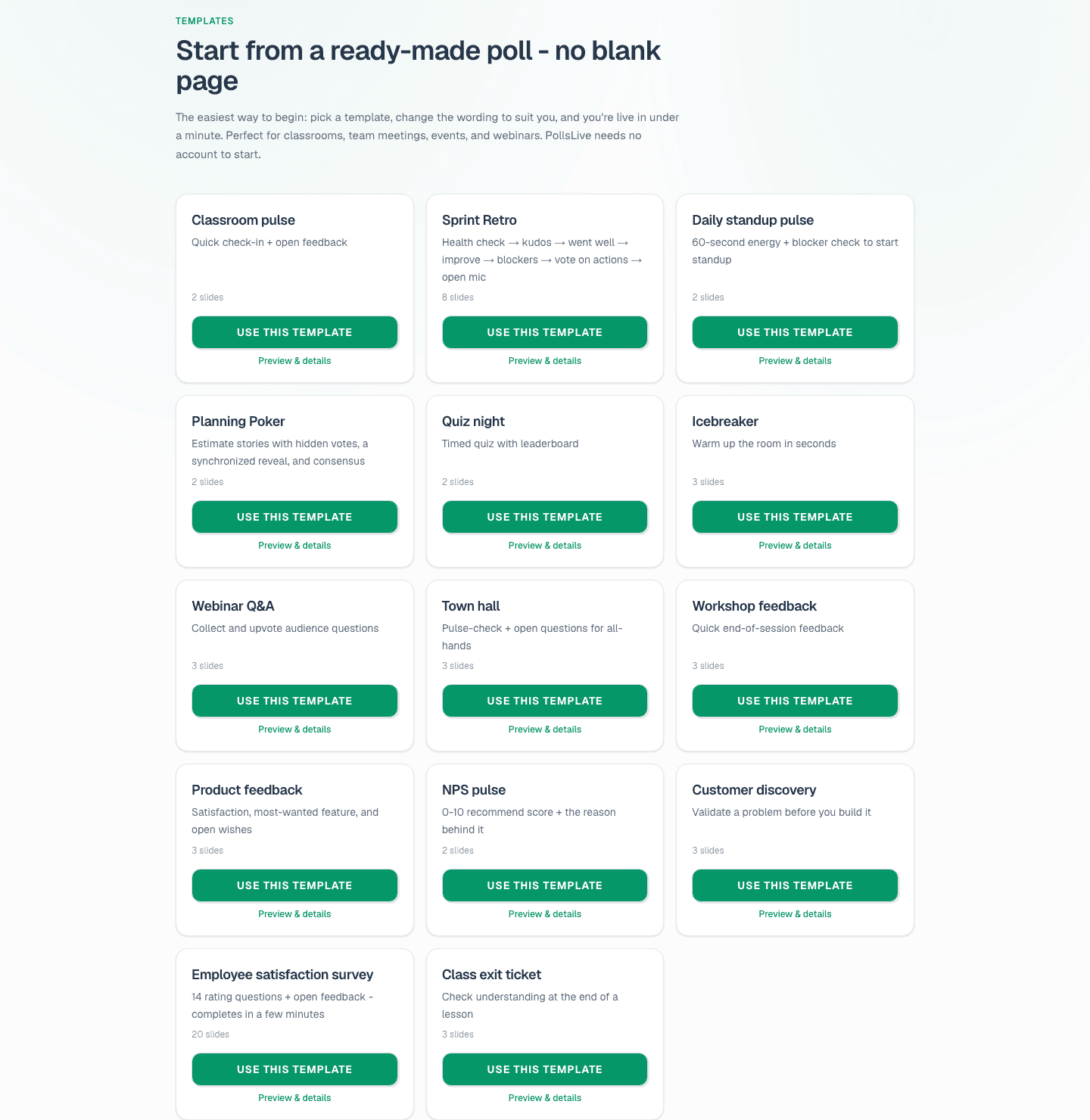
Starting a fresh poll? In that same panel, use Start from a template to pick one (your saved templates sit alongside the 14 built-in ones like Sprint Retro, NPS pulse, and Quiz night), then click Apply template. It replaces the current slides with the template deck, ready to tweak. You can also browse everything in the template gallery and hit Use this template there.
Tip
Save your best weekly deck as a workspace template: next week's run is one Apply click away.
Keep your polls tidy with folders
As you build up polls, the dashboard can get busy. Use New folder to group them (say, one folder per team or per class) and move a poll into a folder from its row. Filter the dashboard by folder with the tabs at the top (All, Uncategorized, and each folder you create).
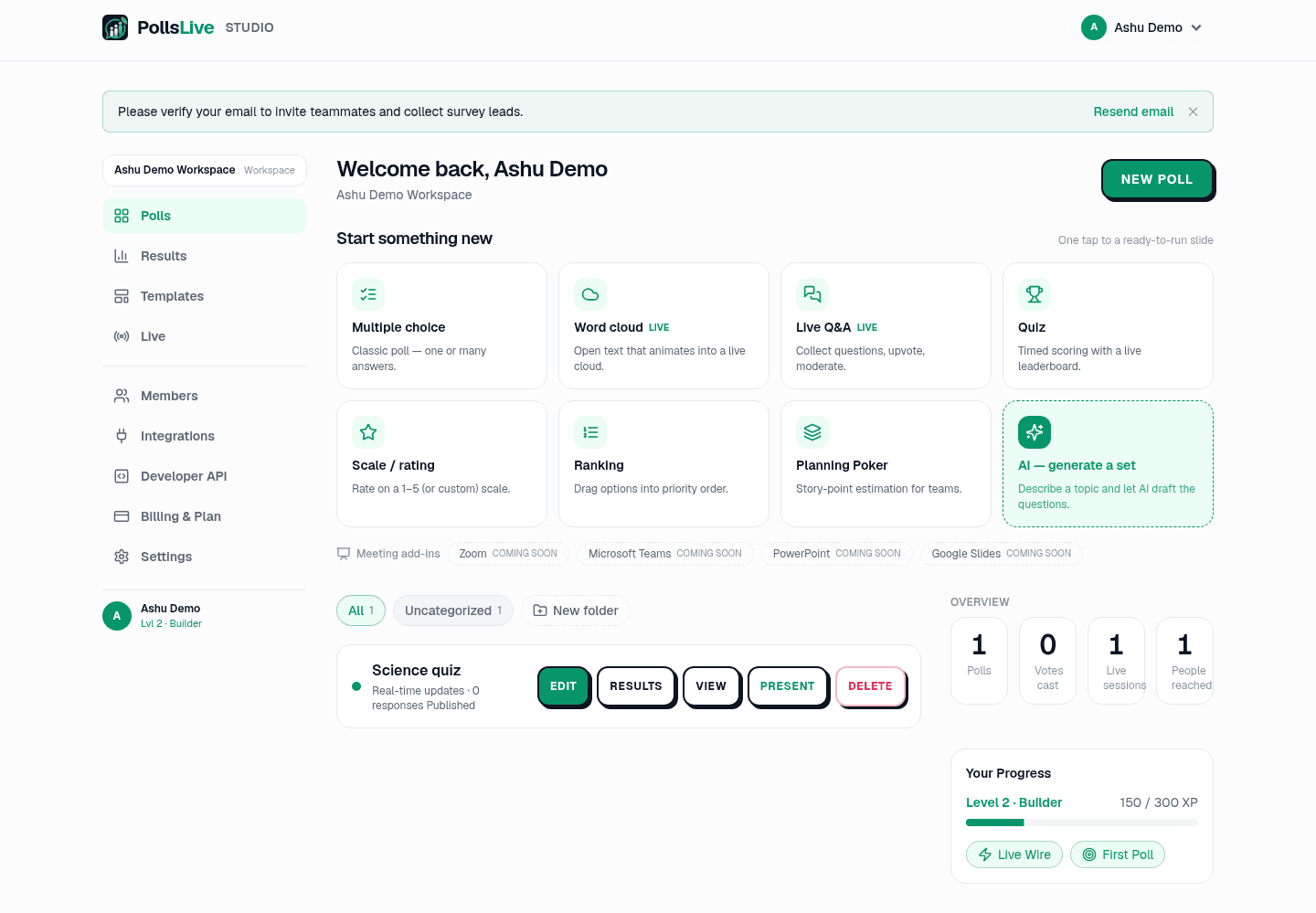
Put those two habits together and a weekly ritual takes seconds: apply your saved template, present it, and file the poll in its folder. The trend builds up over time without you ever rebuilding the deck.
Build it well once, save it as a template, and every future run is a single click away.
Want the full picture on running the same poll on a schedule? See recurring polls without rebuilding.
Spin up a live poll right now. Free sign-in for you, no app or account for your audience.
Create a free poll