
September 24, 2026 · 4 min read
Prize Draw: Pick a Lucky Winner on the Big Screen
Run a live prize draw from your PollsLive room: choose the hat, let the names spin on the big screen, and check the result afterwards.
The room has already answered. You want one name, not another vote. A prize draw does that on the projection, and the winner's own phone says they won.
From the dock to a name the room can read
Choose who is in the hat
Open Draw on the presenter dock. Pick everyone who joined, everyone who answered this slide, or the top scorers. Choosing a row does not draw yet.
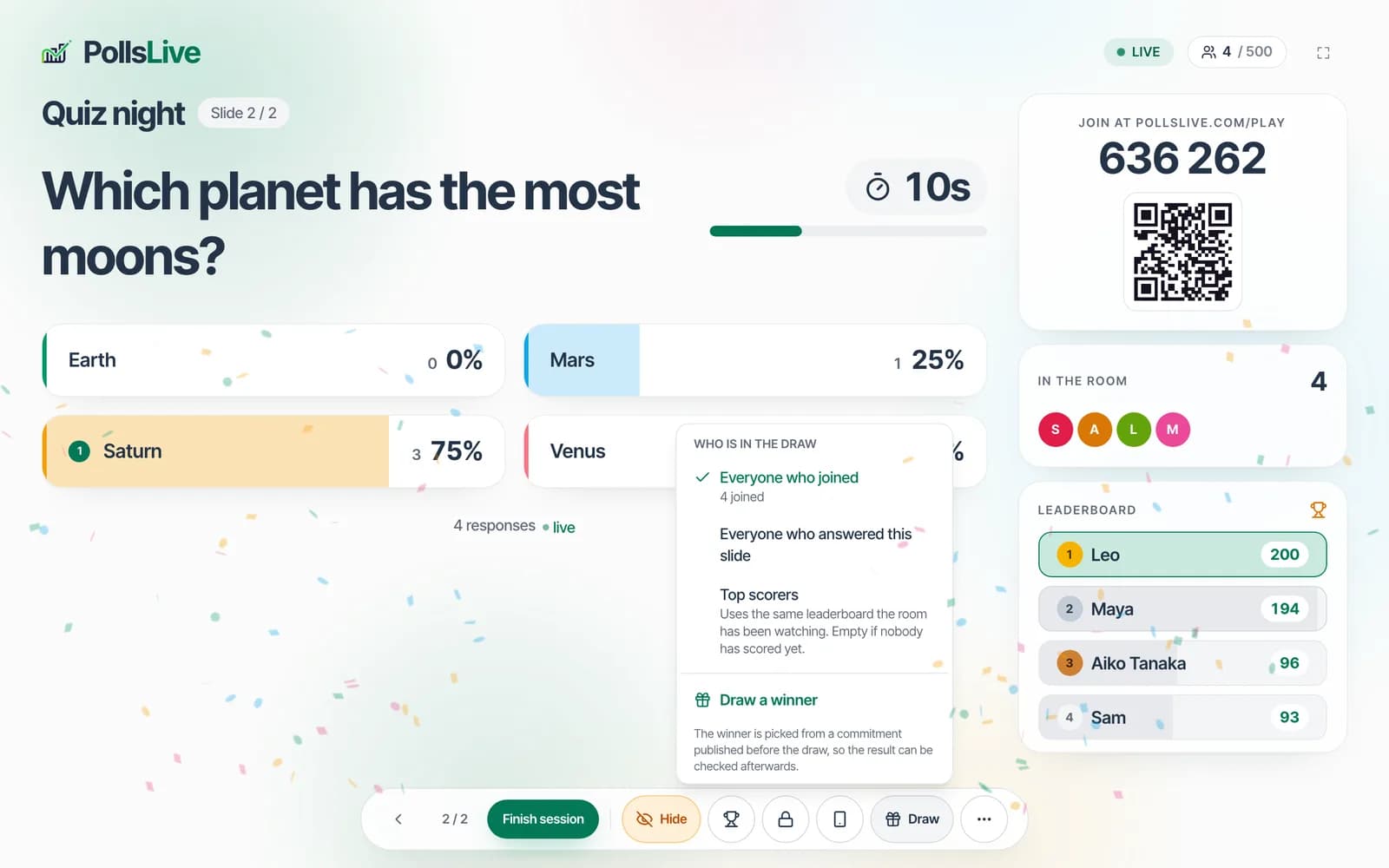
Let the names spin
Tap Draw a winner. Names from that pool cycle on a dark screen. Reduced motion skips the spin and shows the winner immediately.

Read the name from the back of the room
One name lands, large, with a short celebration. The pick is committed before it is shown, so you can check it afterwards.

The winner's phone says they won
Their phone turns green. They do not have to shout. Everyone else still sees the same name on the projection.

Check the card, then draw again if you need to
The result shows when they joined and how many people were in the hat. Draw again leaves previous winners out. Prize draws are a Pro feature.

The written guide covers pools, the commitment, and what to do when the hat is empty.
Read the prize draw guide