
For Webex
Live polls, quizzes and Q&A for Cisco Webex
Give any Webex meeting or webinar live, animated interaction. Build a poll, quiz or Q&A in PollsLive, share your screen on the results view, and drop the join link or QR in the Webex chat. Attendees answer from their phones or a second tab and results update in real time for the whole room.
Was du durchführen kannst
Meeting warm-ups
Open with a quick poll so attendees engage from the first minute.
Webinar pulse checks
Gauge understanding between sections with a fast scale or poll.
Timed quizzes
Run a scored quiz with a live leaderboard to hold attention remotely.
Moderated Q&A
Collect and upvote questions so the best ones rise to the top.
Step-by-step setup guide
Follow these steps for your next Webex session. No add-in or plugin is required.
- 1
Create your session content
Build polls, quizzes, word clouds, or Q&A in PollsLive before the Webex call. Works the same for small meetings and large webinars.
PollsLive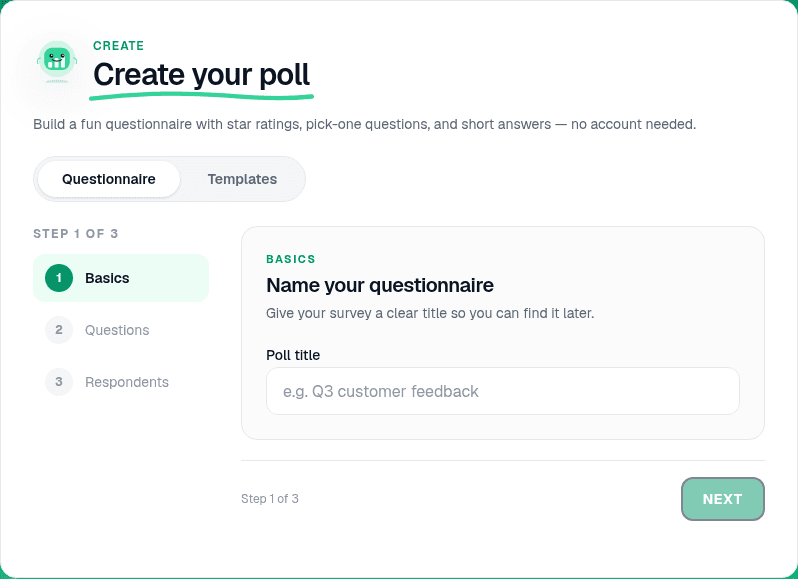
Start from a blank poll, template, or AI prompt — sign in free to build. - 2
Configure the questions
Add your prompts and answer options. For webinars, moderated Q&A with upvotes helps surface the best questions from a big audience.
PollsLive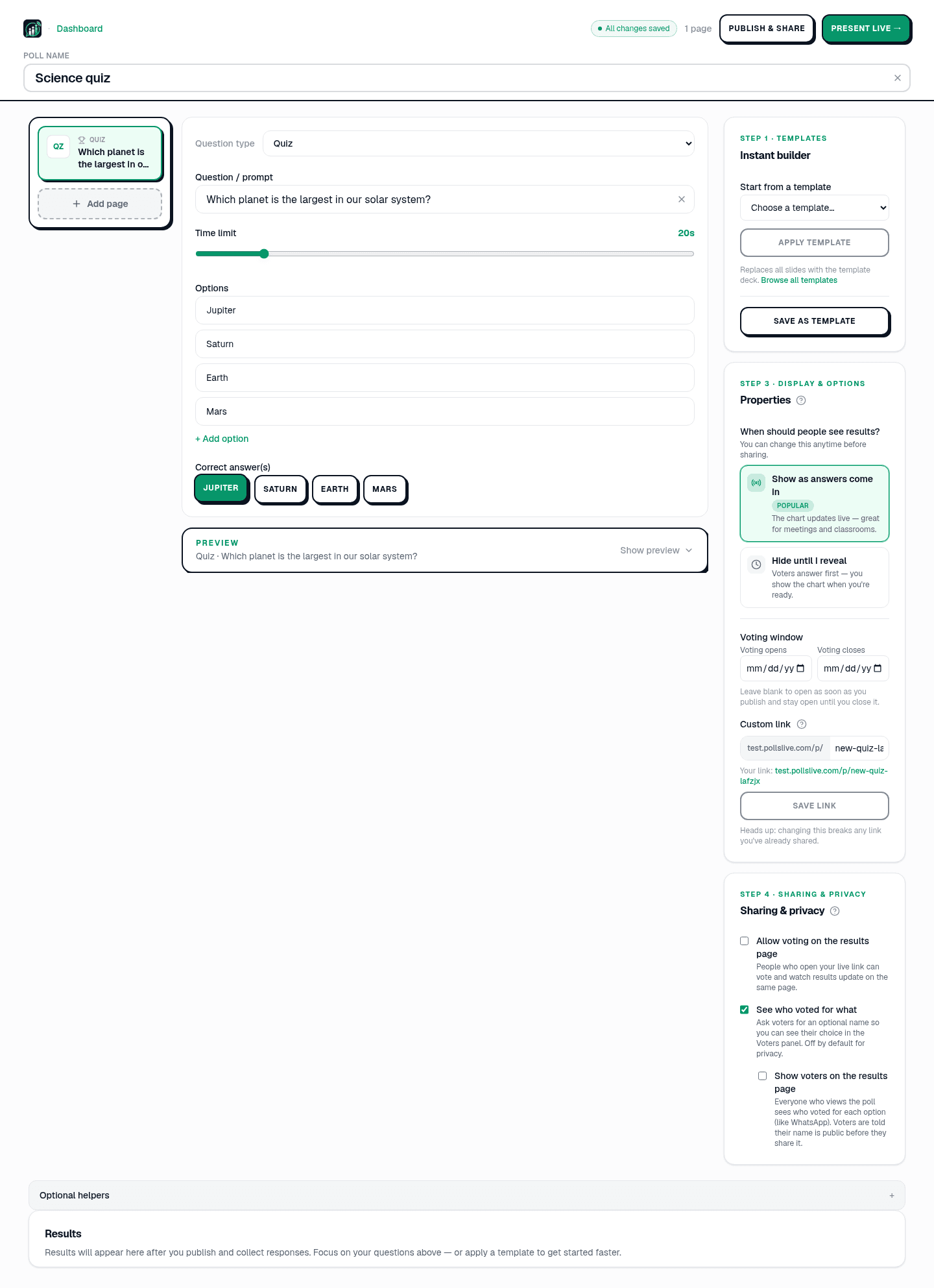
Add questions, set correct answers for quizzes, or pick poll and scale types. - 3
Start live and grab the join link
Present live from Studio. Copy the join URL and PIN from the host console.
PollsLive
Copy the PIN, download the QR, or share the join link. - 4
Share your screen in Webex
In the Webex meeting, share the browser tab with the PollsLive host view. Attendees should see the live chart, not a static slide.
Tip: For webinars, assign a co-host to watch chat while you facilitate the poll.
- 5
Post the link in Webex chat
Paste the join link and PIN into chat. Attendees open it on any device — no Webex account required to vote.
PollsLive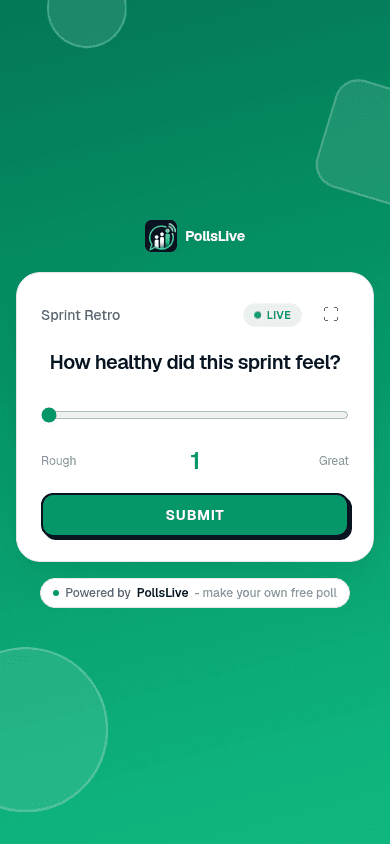
Attendees answer from any phone — no app or login. - 6
Run the interaction and debrief
Watch results update live, discuss highlights, then continue the session. Export from Studio for follow-up emails.
PollsLive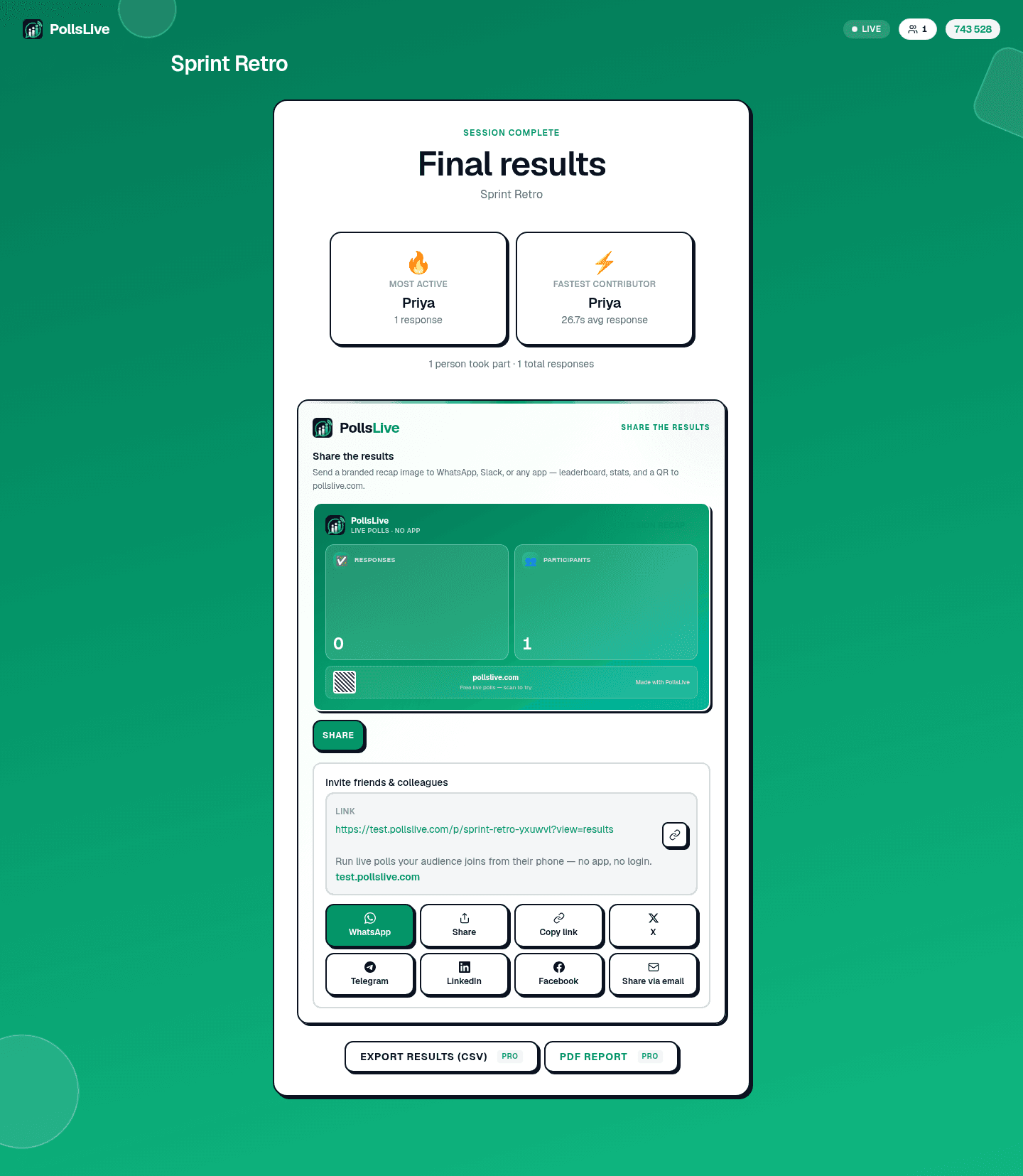
Results update in real time as the room votes.
Why hosts pair PollsLive with Webex
A one-time Event Pass for big events, live formats Webex polls don't offer, and nothing for attendees to install: they join with a single link or QR. Votes are anonymous, and PollsLive is EU-hosted and privacy-first, so it fits meetings where data handling matters.
Häufige Fragen
Is there a Webex app to install?
No. You share your screen and paste the join link or QR in chat, so attendees join in the browser, nothing to install for you or them.
How do attendees join during a Webex call?
They scan the QR or open the link from the chat, no app and no account. Votes are anonymous.
Does it work for Webex webinars as well as meetings?
Yes. The same approach works for large webinars and small meetings alike, with no per-attendee fee.
Ready to run your first live poll in Webex?