
July 10, 2026 · 8 min read
When to Show Poll Results: Live, Reveal or Survey?
Show poll results as votes arrive, hide them until you reveal, or collect a whole survey on one page. How each option works and when to pick it.
One small setting changes how a poll feels more than almost anything else: when people get to see the results. PollsLive gives you a clear choice in the editor, plus a third mode for multi-question surveys. Here is how to pick.
Where to set it
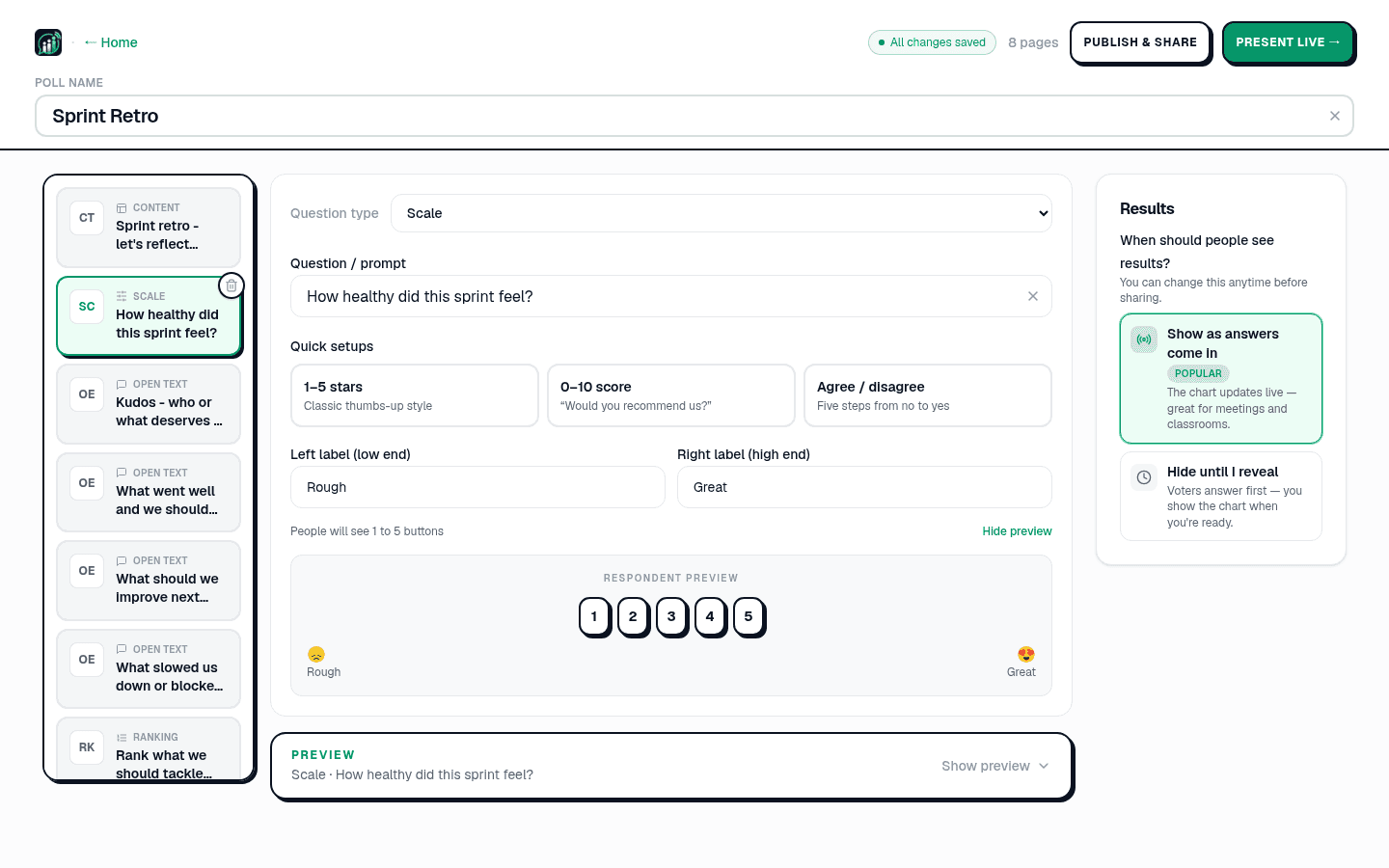
In the editor's right-hand panel there is a question: How will you run this poll? with two options: Self-paced and Live, I present it. Pick Live and two choices appear underneath: Hidden until I reveal, selected to begin with, and Shown as votes arrive. You can change either any time before you share.
Hidden until you reveal (the default)
Everyone answers first, and the chart stays hidden until you press Reveal on the presenter dock. The slide shows a count of answers in, so you know when the room is done without showing anybody what it said. Reach for this when early answers would bias the rest: a prediction before the answer, an anonymous opinion where you do not want people to follow the crowd, or a quiz where the whole point is the reveal. Hide puts it away again.
Shown as votes arrive
Pick it and the chart updates in real time as votes land. This is the one people picture when they think of live polling, good for meetings, classrooms, and events where watching the bars move is part of the energy. Quiz and estimation slides ignore it: showing a quiz distribution before anyone has answered gives the answer away, and revealing an estimation round is how you close it.
Same question, two very different moments. Here is the kind of split you might want to hold back until everyone has committed:
Before we look, will the new pricing lift or lower signups?
Survey: the whole thing on one page
There is a third experience for multi-question polls. When your deck has more than one question, PollsLive can present it as a survey: every question on one shareable page, submitted together, with combined results at the end. This is the mode for feedback forms, NPS with a follow-up, and employee surveys people fill in on their own time. It turns on automatically for multi-question decks built in the questionnaire builder, and it always shows results after submitting.
Tip
Live for the energy of a room, reveal to stop the crowd swaying the vote, survey for answers people give on their own time.
Live for the energy of a room, reveal to stop the crowd swaying the vote, survey for answers people give on their own time.
Not sure which format your poll should be? Start by building it from scratch and try both. The setting is one click to change.
Spin up a live poll right now. Free sign-in for you, no app or account for your audience.
Create a free poll