
June 23, 2026 · 9 min read
Best Slido Alternatives in 2026: An Honest Comparison
Comparing Slido alternatives for live Q&A and polls: free plans, per-organizer vs per-presenter pricing, and which tool fits teams, classrooms and events.
Slido owns conference Q&A. Its Webex integration and moderator workflow are genuinely useful at enterprise scale. But its paid plans are priced per organizer and billed annually, and the free plan stops at 3 polls and 100 participants, so it is hard to justify for smaller teams, classrooms, or organisers running a handful of events a year. Here are the best Slido alternatives in 2026, compared on price, Q&A depth, and what your audience actually has to do to take part.
What makes a good Slido alternative
- Live Q&A with upvotes: the core Slido feature
- Anonymous question submission: quieter voices get heard
- Live polls: multiple choice, word cloud, scale, ranking
- Browser-only join: no app for the audience
- Developer API and webhooks on Pro: not reserved for an enterprise tier
1. PollsLive: best value for teams and recurring events
PollsLive runs live Q&A with audience upvoting and host moderation in the same deck as polls, word clouds, quiz slides, and ranking. Participants join with a code or QR code, with no account. Pro is $8/mo billed annually per presenter (100 live, API, webhooks, lead capture); Premium adds your branding and 500 live; a one-time Event Pass covers one bigger event, and AI credit packs top up AI drafting.
What would you most like us to cover in the next 30 minutes?
- Live Q&A with upvotes, and you approve or hide each question before the room sees it
- Async mode: the same poll keeps collecting after the room empties
- Permanent links: polls and results stay available after the event
- Hosted in the EU
- Trade-off: no add-in that runs inside PowerPoint or Google Slides. On Pro you can import a deck and present it from PollsLive instead
Tip
Run PollsLive beside your existing slides and meeting tools, or import your PowerPoint or Google Slides deck on Pro. See features.
Run your next live Q&A on PollsLive. Free, no account for your audience.
Start a free session2. Mentimeter: best if you live in Google Slides
Mentimeter includes Q&A on the free plan (within its 50-participants-a-month cap). Word clouds are excellent and the Google Slides add-in is mature. Paid plans are per presenter and billed yearly. The strongest full-feature alternative when budget allows. See the Mentimeter comparison.
3. Pigeonhole Live: best for large branded conferences
Pigeonhole is built for enterprise events: speaker management, multiple sessions, branding. Pricing is per event, quoted for larger venues. The specialist choice when logistics matter more than weekly team meetings.
4. Poll Everywhere: best PowerPoint integration
Poll Everywhere has the most mature PowerPoint and Keynote embed, and universities use it heavily. The free plan takes an audience of up to 40. Paid plans are per presenter and billed yearly, so the seat math looks a lot like Slido's.
5. Wooclap: best education free tier
Wooclap's free plan is generous on audience size (up to 1,000 participants per event) but allows only 5 questions a month. Question types include matching and fill-in-the-blank, useful for classroom testing. Less refined for pure conference Q&A moderation.
Slido alternatives: pricing compared
- Slido: Free: 3 polls, 100 participants · Paid: per organizer, billed annually · Enterprise: custom
- PollsLive: Free: 3 polls, 50 live, 3 sessions/mo · Pro from $8/mo annual · Premium · Event Pass from $19 · Compare
- Mentimeter: Free: 50 participants/month · Paid: per presenter, billed yearly
- Pigeonhole Live: priced per event (enterprise events)
- Poll Everywhere: Free: audience of up to 40 · Paid: per presenter, billed yearly
- Wooclap: Free: up to 1,000 participants per event, 5 questions a month · Paid: per presenter, billed annually
Run a Slido-style Q&A session in four steps
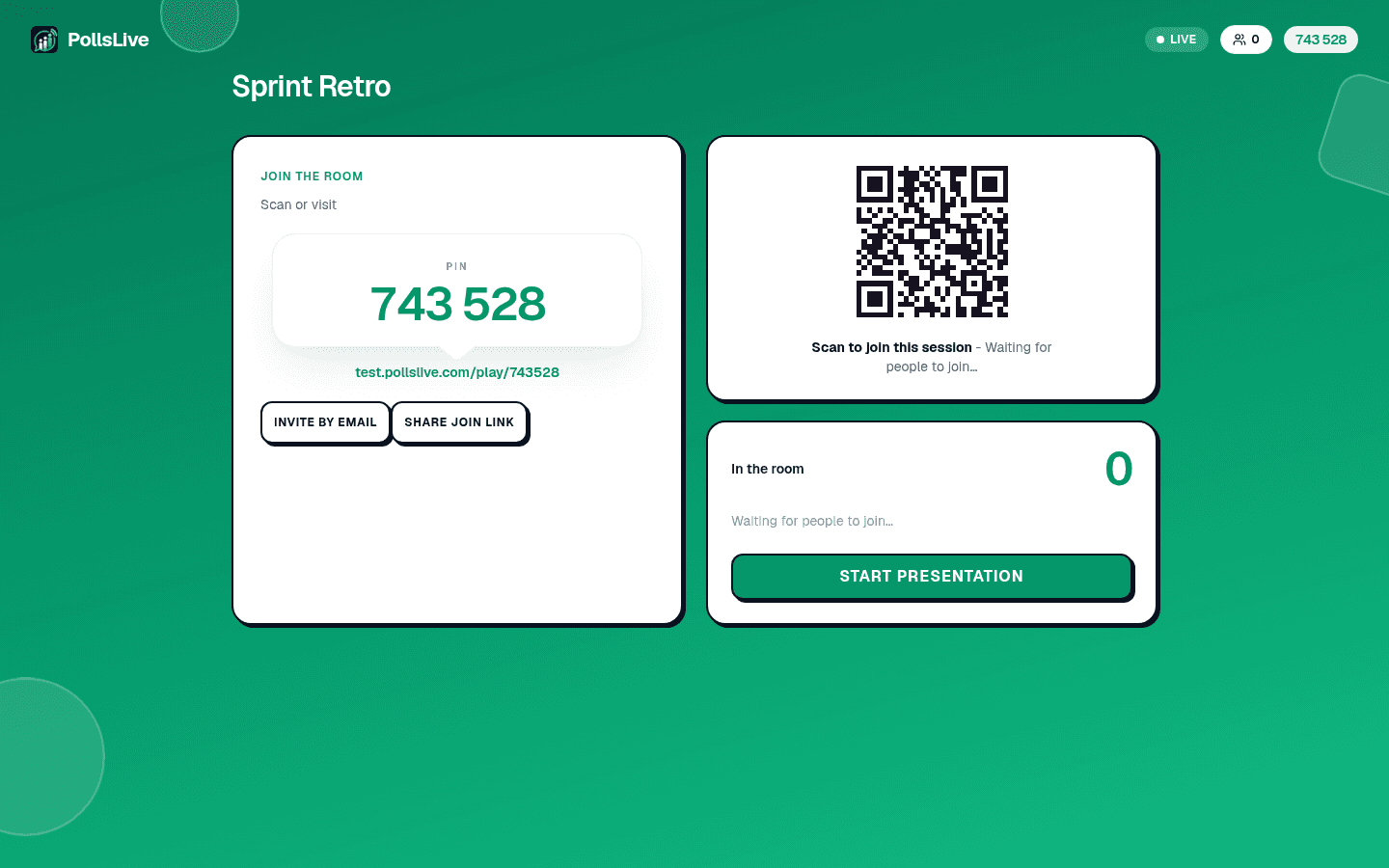
Add a Q&A page
In the editor, add a Q&A page. Turn on anonymous questions and upvotes.
Open the host console
Click Present live. Share the code or QR so the audience can send questions.
Moderate live
Approve the questions you want on screen, hide the rest, and let upvotes show you what the room wants answered first.
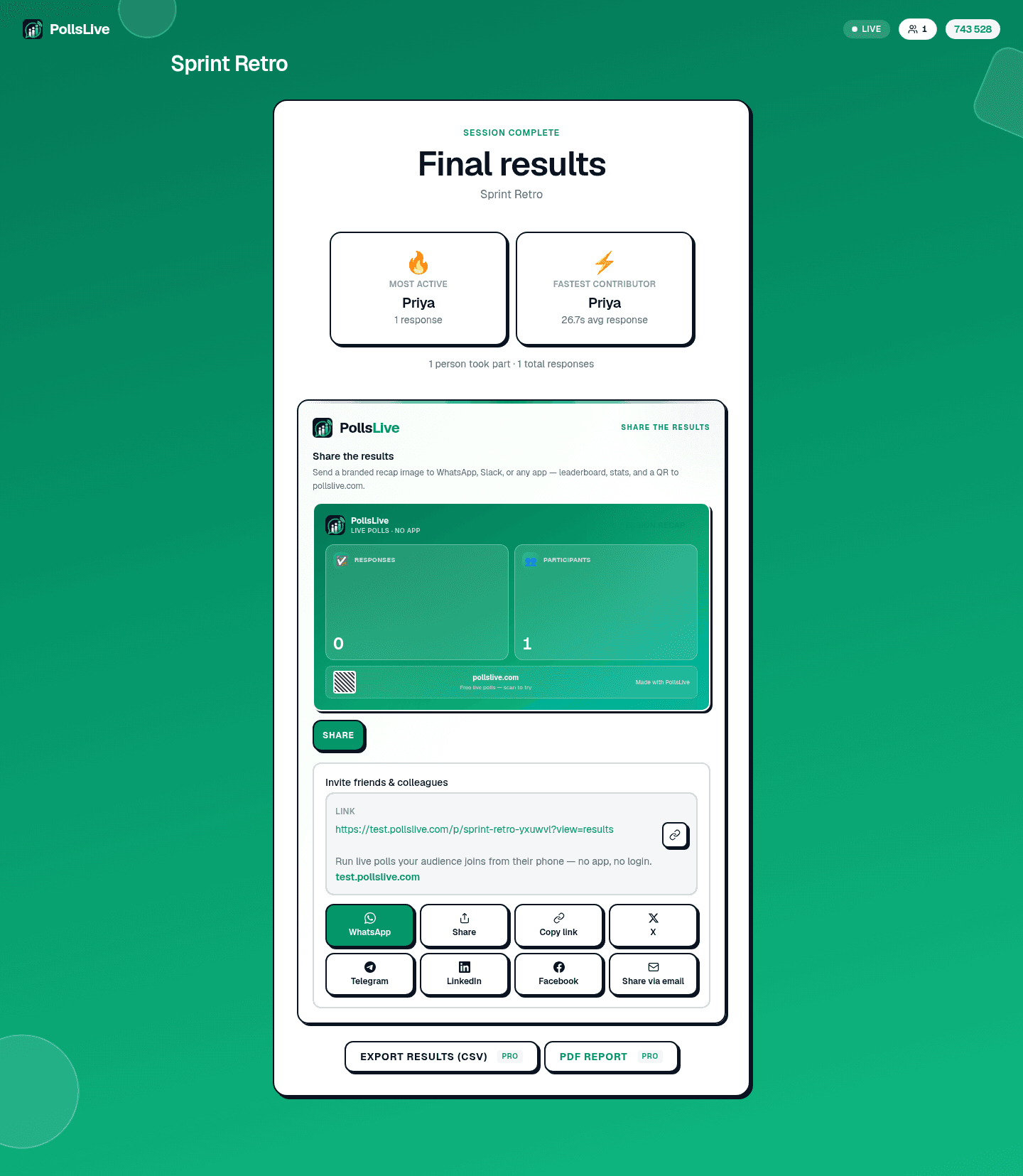
Share results after
End the session and copy the results link, or export CSV on Pro.
The bottom line
For teams running regular meetings, workshops, or small-to-medium events, PollsLive and Wooclap offer the best value. For large conferences where branding and speaker logistics dominate, Pigeonhole is the specialist. For teams that build everything in Google Slides, Mentimeter's add-in is worth the premium. Slido remains the safe enterprise choice when deep Webex integration is a must. See the full Slido comparison for feature-by-feature detail.
Spin up a live poll right now. Free sign-in for you, no app or account for your audience.
Create a free poll