
June 26, 2026 · 9 min read
How to make a live quiz with a leaderboard
Build a timed, scored live quiz your audience plays from their phones - with points, a speed bonus, and a leaderboard between questions. No app, no login for players.
A live quiz turns a passive room into a game. Players join from their phones, answer against a timer, earn points for speed and accuracy, and a leaderboard ranks them between questions. Here is how to build and run one in PollsLive - from your first quiz slide to the final standings.
Tip
You do not need to be technical to follow this guide. Every step uses plain buttons in PollsLive - no coding, no app install for your audience.
What makes a quiz different from a poll
A poll asks one question and shows the tally. A quiz is a scored multiple-choice round: one option is marked correct, points reward right answers, and a timer keeps the pace. You can mix quiz slides with polls, word clouds, and Q&A in the same deck. Not sure which format you need? Read poll vs survey vs form.
Which planet is closest to the Sun?
Step-by-step: build your quiz
Open Create your poll
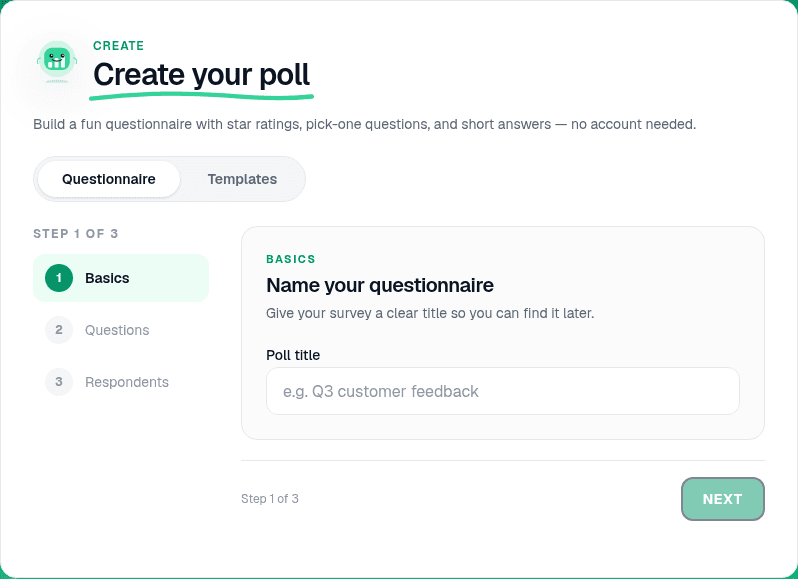
On the home page, open the Create your poll panel. Pick Questionnaire to build your own deck, or browse Templates for a ready-made trivia night. Name the quiz something you will recognize later - "Q3 training recap" or "Friday trivia" works well.
Add Quiz pages and mark correct answers
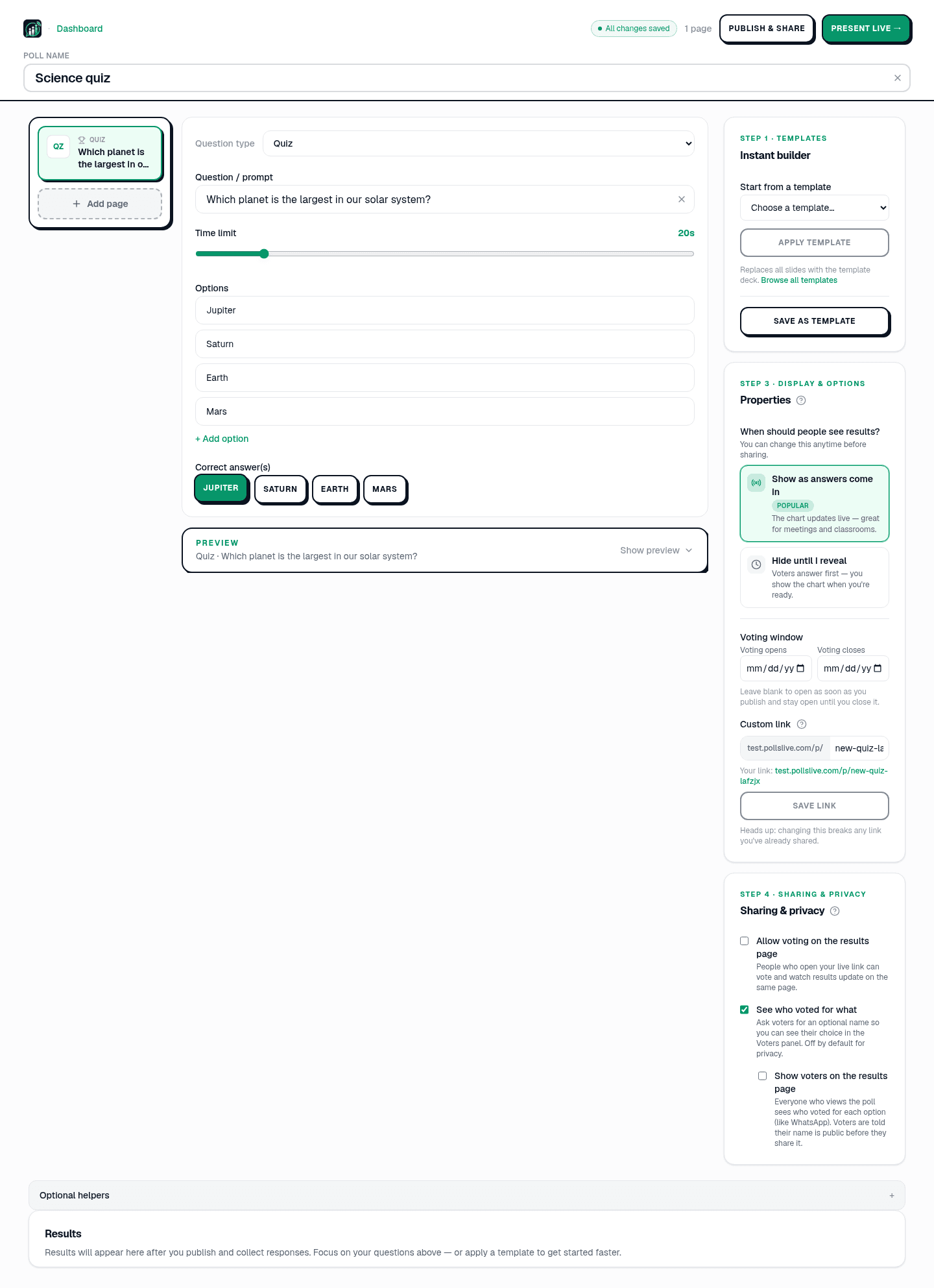
In the editor, click Add page and choose Quiz from the question type menu. Write a short stem, add 3-4 options, and click the checkmark on the correct one. Repeat for each question. Aim for 6-12 slides - long enough to be fun, short enough to hold attention. The header shows All changes saved a second after you stop typing.
Tip
Keep stems under 20 words and make wrong options plausible but unambiguous. If two answers could both be correct, rewrite the question.
Set points, timer, and speed bonus
Select any quiz page and open its settings on the right. Turn on Points, set how many each correct answer earns, and add a per-question timer so stragglers cannot stall the room. Enable the speed bonus so faster correct answers score higher. Streaks and the hype meter add momentum with no extra setup.
- 6-12 questions is the sweet spot for a live room.
- 15-30 seconds per question keeps energy high.
- 3-4 options per question - more than four slows mobile taps.
- Add a Content slide between rounds for instructions or a sponsor message.
Preview the respondent view
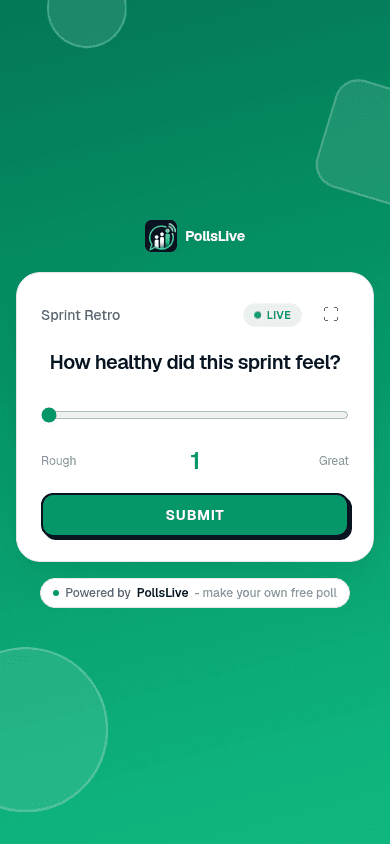
The editor shows a live preview of what players see on their phones. Tap through your quiz pages to confirm wording, option order, and timer labels before you go live.
Run the quiz live
Click Present live
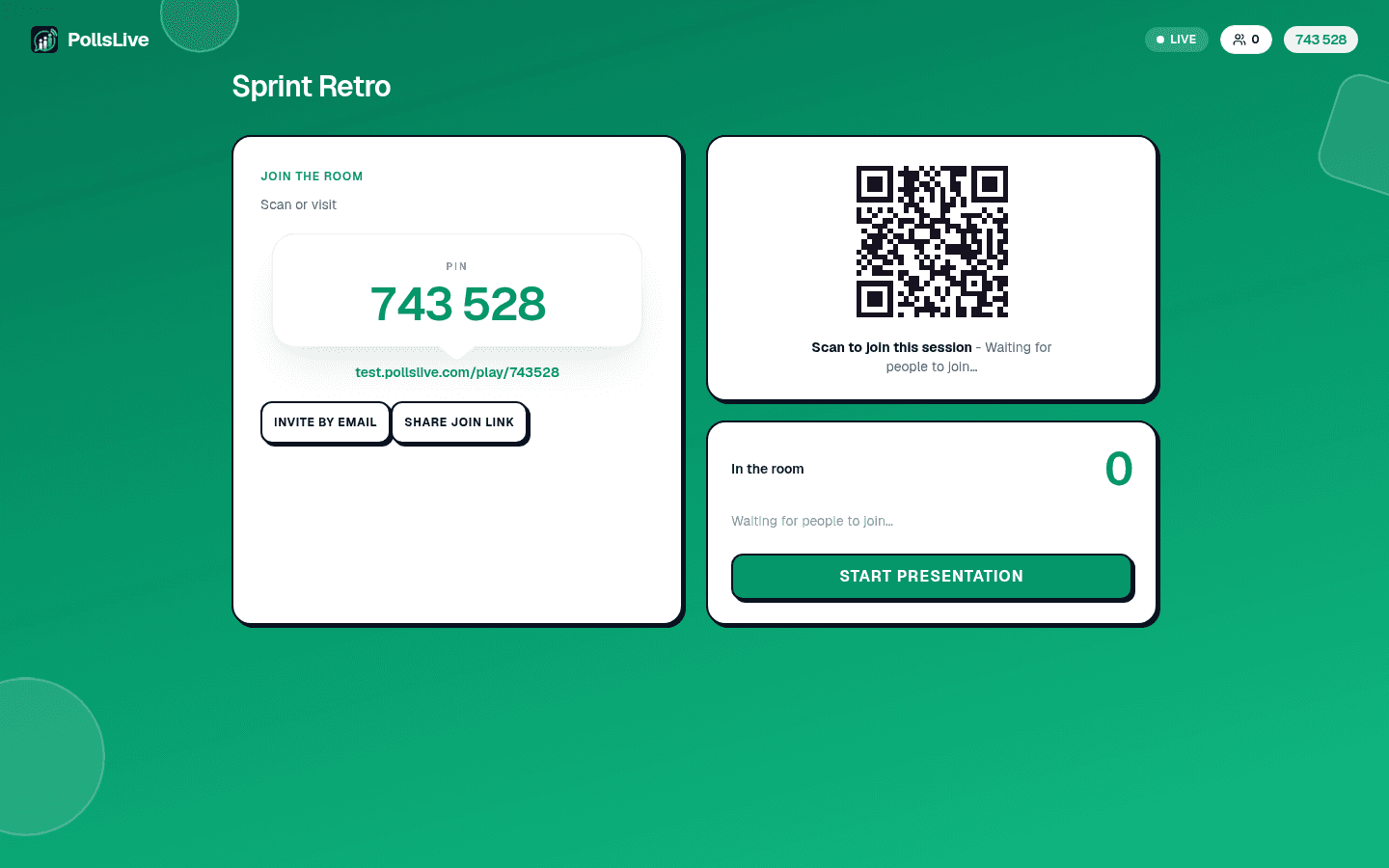
When the room is ready, click Present live in the editor. The host console opens with a 6-digit PIN and QR code. Put both on screen - players open the join link, enter the PIN, and pick a display name. No app install, no account required.
Reveal answers and show the leaderboard
Advance through each question. When the timer ends, click Reveal to show the correct answer. Then open the Leaderboard between rounds so the room sees who is winning. That between-round reveal is what makes a quiz feel like a game.
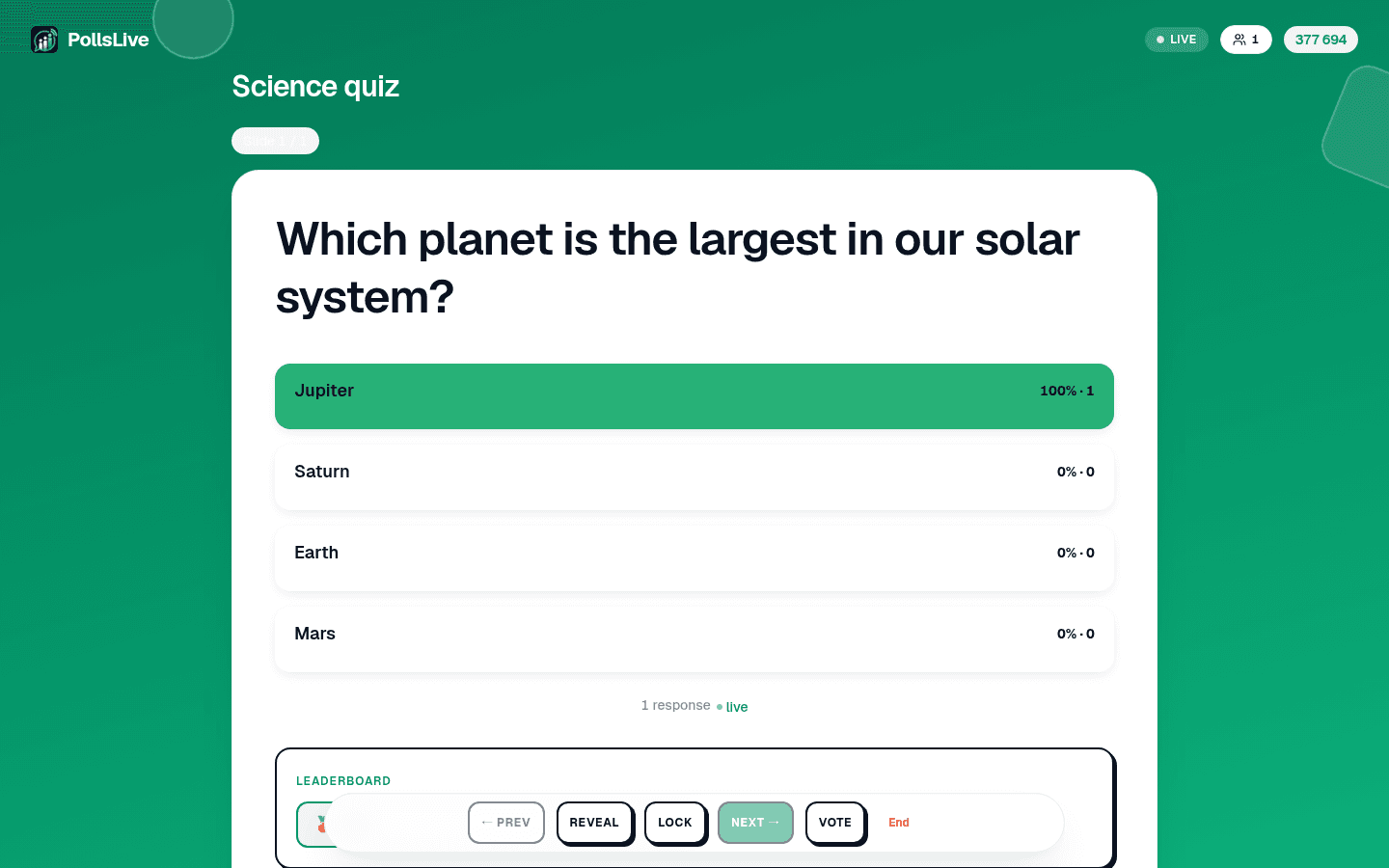
What does HTTP stand for?
After the quiz: recap and export
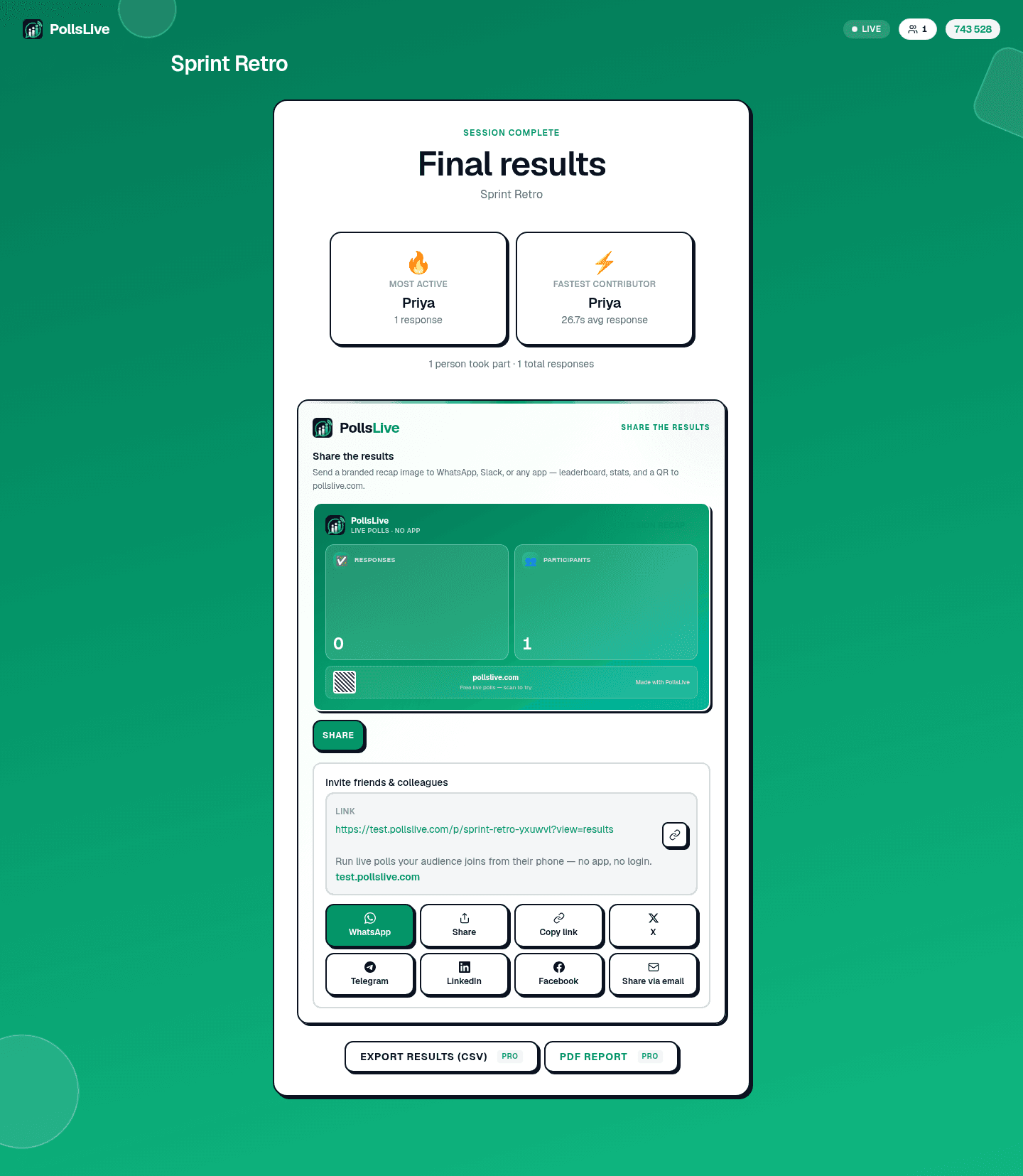
When the last question is done, the host console shows a session recap with final standings, most active player, and fastest contributor. Share the recap image to Slack or WhatsApp, or open Results in Studio for a full breakdown. Export Excel and PDF report are on Pro ($4.17/mo annual, 21-day free trial). See reading and exporting results.
Tips for a great quiz night
- Test on your phone first - join your own session with the PIN before the room arrives.
- Read the leaderboard out loud - name the top three between rounds to build tension.
- Mix difficulty - start easy, add one hard question mid-deck, finish with a crowd-pleaser.
- Keep names anonymous for honest play - see anonymous voting.
Note
The free plan supports up to 50 live participants per session. For bigger rooms, Pro raises the cap and unlocks exports. Compare plans on the pricing page.
Start faster with a template
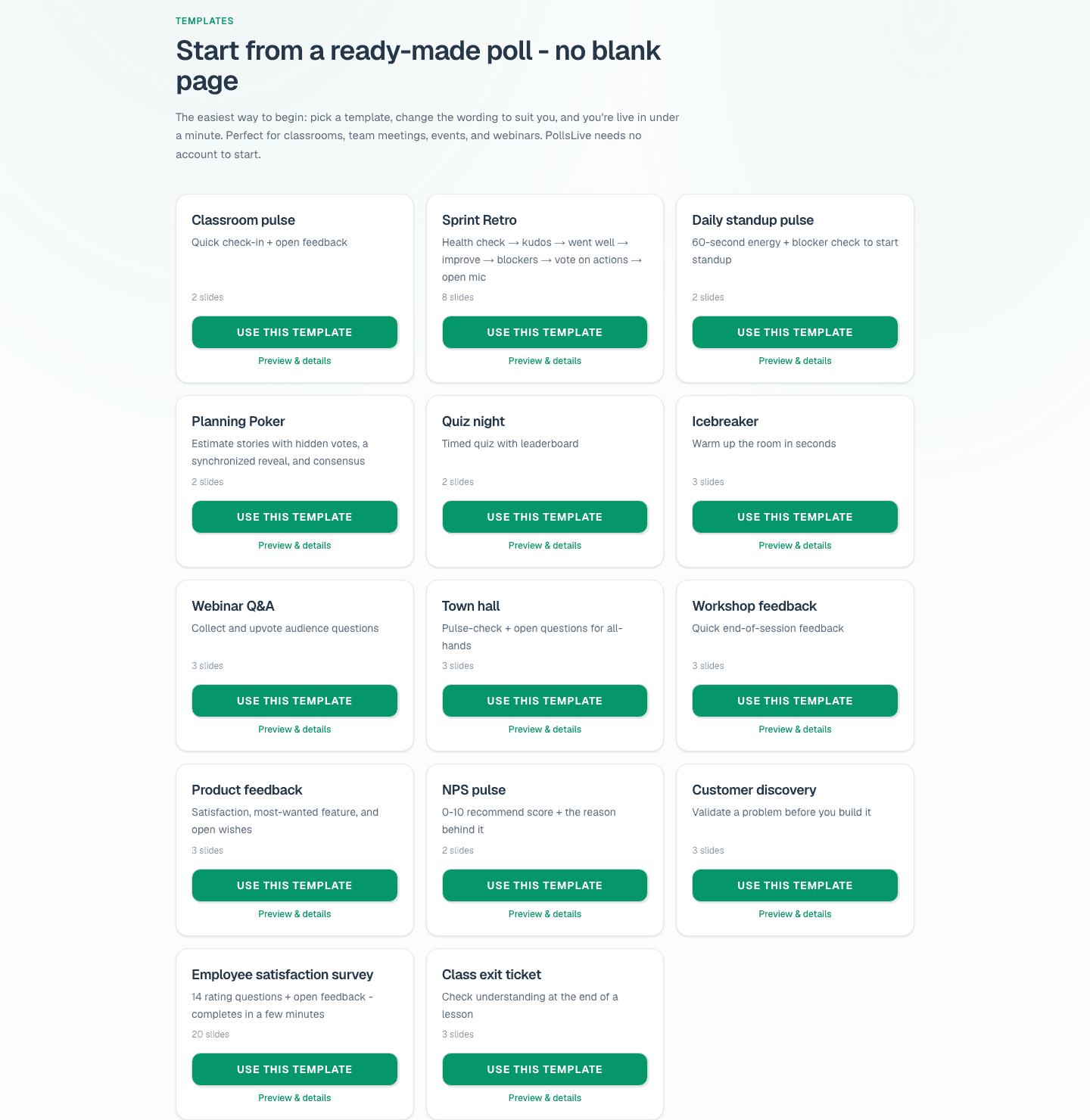
Do not want to write every question from scratch? Open the template gallery and pick Quiz night, Training check, or any trivia deck. Click Use this template, tweak the wording, and you are ready to Present live in minutes.
For a full trivia playbook, see host a trivia night with a live leaderboard. Compare PollsLive with Kahoot if you are switching tools. To build non-quiz questions in the same deck, start with building a poll from scratch.
Spin up a live poll right now - no signup, no app for your audience.
Create a free poll